Autonomous coding agents like Claude Code, OpenAI Codex, Cursor, Gemini CLI, and Antigravity have fundamentally altered the mechanics of software engineering. Developers no longer write every line by hand; instead, they operate as technical leads directing multiple autonomous agents simultaneously. A developer might have Claude Code refactoring a Rust crate in one terminal, OpenAI Codex writing integration tests in a second, and a background watcher running unit tests in a third.
While this shift unlocks remarkable productivity, it introduces severe workflow fragmentation. Terminal multiplexers quickly become overwhelming walls of scrollback. Architectural plans, checklists, and scratchpad documents generated by agents get buried beneath thousands of compiler diagnostics. What is left to do lives strictly in the developer's head, and switching between projects requires re-orienting across scattered terminal tabs and editor buffers.
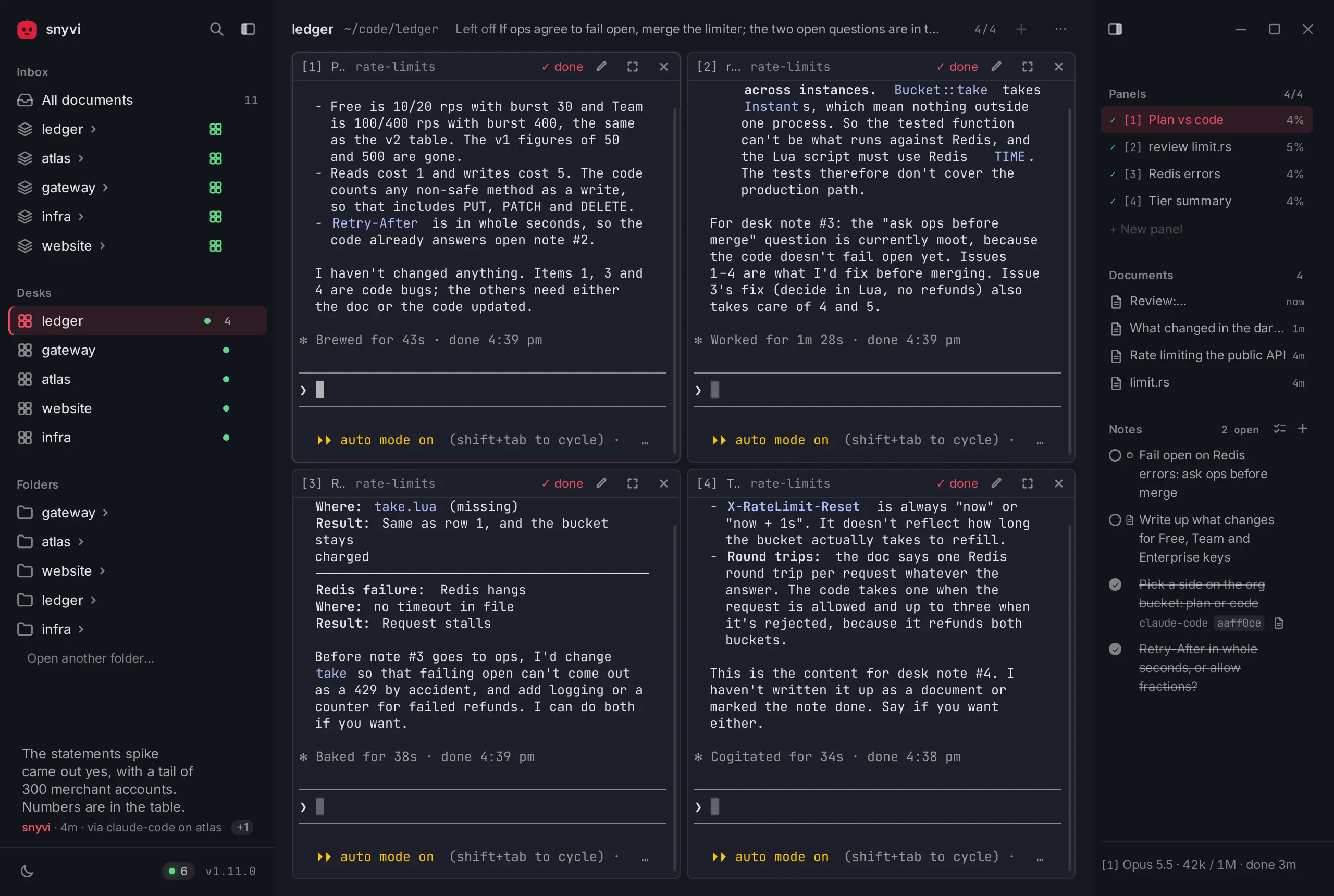
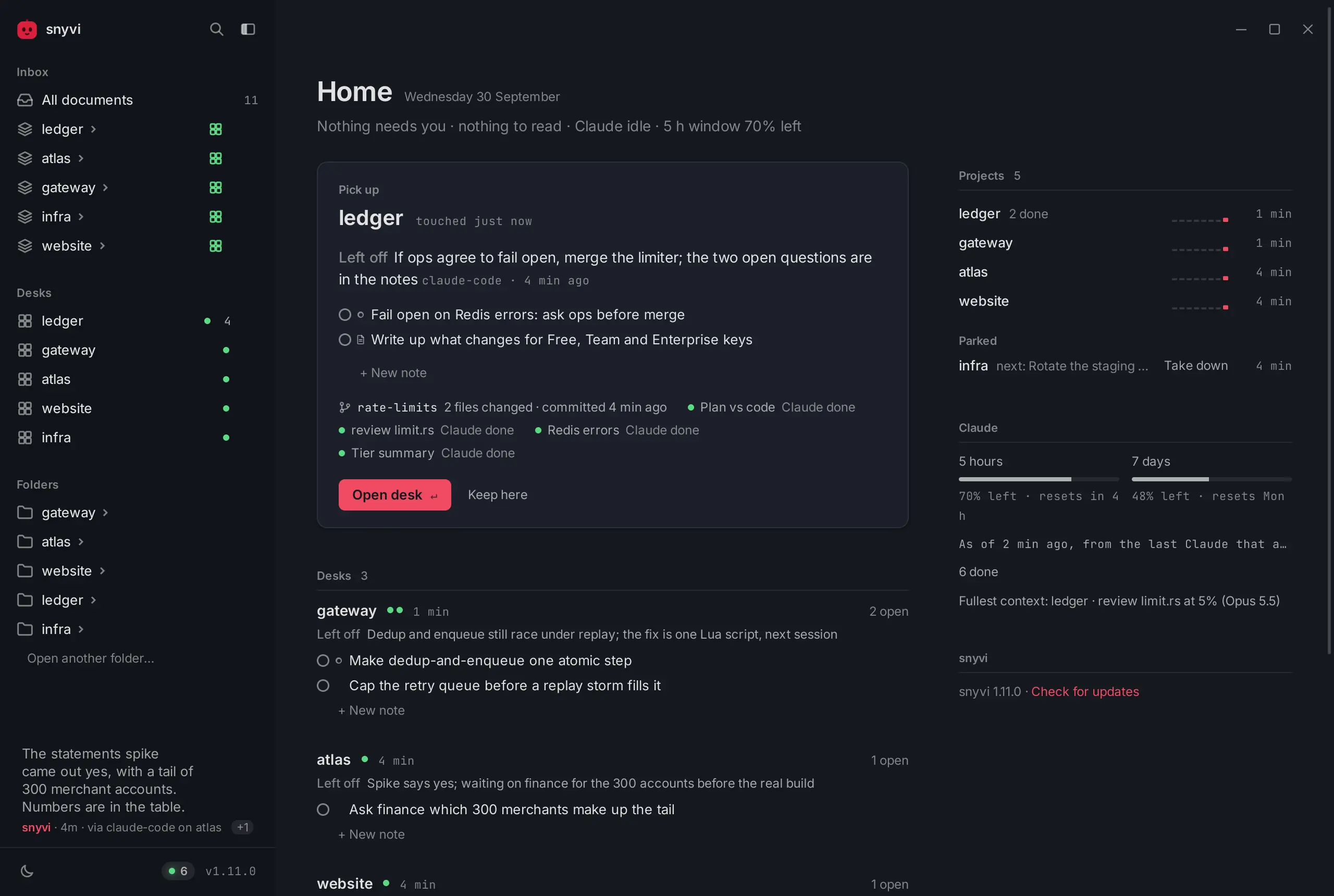
snyvi, created by independent software craftsman Mrova (snymrova) and open-sourced at snymrova/snyvi, directly addresses this problem. Released under the MIT license, snyvi is a native, local-first desktop application and Rust daemon designed around a single guiding philosophy: "All your passion projects, in one calm place." It organizes active work into dedicated project "desks," embeds up to four real terminal PTY shells side-by-side, captures everything agents write into clean, immutable, versioned pages, and provides end-to-end encrypted document sharing with paired peers.
I cloned the official repository at pinned commit 27418613a8d92d2c8cfdb763bcb1cc3266334686 (v1.46.1), executed the upstream Rust test suite (512/512 passing in 9.37 seconds), ran the built-in performance benchmark suite, and implemented a comprehensive 30-assertion BDD verification suite in ph-tests/snyvi/ (all tests passing in 45 ms on Bun and 120 ms on Node.js).
Scorecard
Here is our standardized evaluation across core engineering concerns, scored from 1 to 10 (where below 3 is nonexistent and 8 or above is considered world-class):
| Concern | Score | Rationale |
|---|---|---|
| Usability | 9 / 10 | Unusually calm, thoughtful developer experience. Project desks with up to four side-by-side PTY shells, 8 curated themes times 8 accent palettes, zero layout shift, instant full-viewport focus mode (Ctrl+Alt+Z), and unified Cmd+K palette search. |
| Accessibility | 8 / 10 | Strong typographic hierarchy based on the Archivo type scale, responsive font tokens (--fs), semantic document outline navigation, and descriptive custom tooltips replacing raw HTML title attributes. Minor limitation: canvas-rendered terminal cells require OS-level accessibility bridge configuration. |
| Security | 9 / 10 | Exceptional defense-in-depth architecture. Host gate restricts HTTP/WS to loopback (127.0.0.1, localhost, [::1]), blocking DNS rebinding and cross-origin attacks. Strict capability vs token privilege separation prevents agent write tokens from minting window capabilities or executing arbitrary shell commands. Peer document sharing uses SPAKE2 key exchange and XChaCha20-Poly1305 AEAD sealed frames over an untrusted 7-day relay. |
| Performance | 9 / 10 | Written in native Rust with Axum, Tokio, and SQLite. Upstream test suite passed 512/512 tests in 9.37s; our 30-assertion BDD suite passed in 45 ms on Bun and 120 ms on Node.js. Time to first byte measured at 4.9 ms (against a 30 ms budget), settled daemon RAM at 33.2 MB (against a 60 MB ceiling), and first-paint web assets strictly constrained to under 56 KB. |
| Setup Time | 8 / 10 | Single-line command installation via Scoop or winget on Windows, Homebrew Cask on macOS, and a standalone script on Linux. Starts instantly on 127.0.0.1:7777 with zero required user accounts, zero telemetry, and zero mandatory cloud services. |
Product History and Background
snyvi was developed by independent programmer Mrova (publishing as snymrova). Built out of personal necessity as autonomous coding agents like Claude Code matured throughout 2025 and 2026, the tool was created for makers who juggle multiple passion projects and refuse to sacrifice craft, speed, or privacy.
Unlike venture-backed developer tools that force developers onto cloud platforms, proprietary web dashboards, or mandatory account logins, snyvi is entirely local-first:
- Local-First Runtime: A single self-contained binary written in Rust acts as daemon, CLI, hook handler, and stdio Model Context Protocol (MCP) server. It runs strictly on
127.0.0.1:7777with zero background phone-home telemetry. - Workplace Desks Instead of Raw Terminals: Rather than scattering processes across random terminal tabs, snyvi gives each project a "desk." A desk contains up to four real terminal panels (PTYs), the project's documents, and a dedicated checklist of desk notes that agents can read and tick.
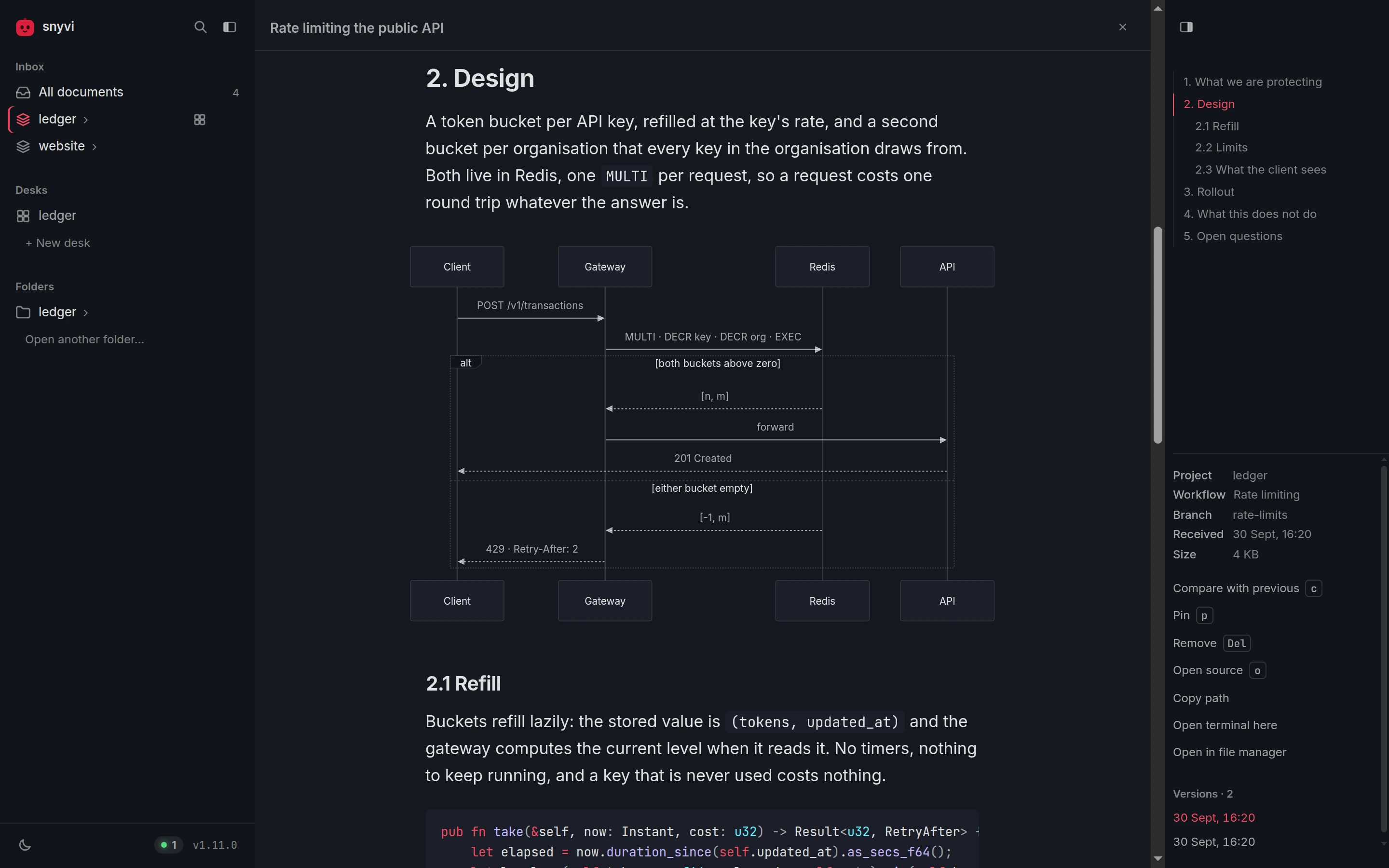
- Immutable Document Ledger: Every Markdown plan, architecture review, and diff emitted by agents via MCP tools or file hooks is hashed using BLAKE3 and archived into a local SQLite database with full-text search (FTS5). Resending a document appends a new version rather than destructively overwriting past work.
- P2P Relay Document Sharing: When collaborating with a friend, documents are sealed using XChaCha20-Poly1305 to the friend's pinned public key and deposited in an ephemeral Cloudflare Worker mailbox (
relay.snyvi.com) with a 7-day time-to-live (TTL). The relay never sees plaintext. - MIT Open Source: The entire codebase, including the Rust backend, Tauri native window wrapper, and client assets, is distributed freely under the MIT License.
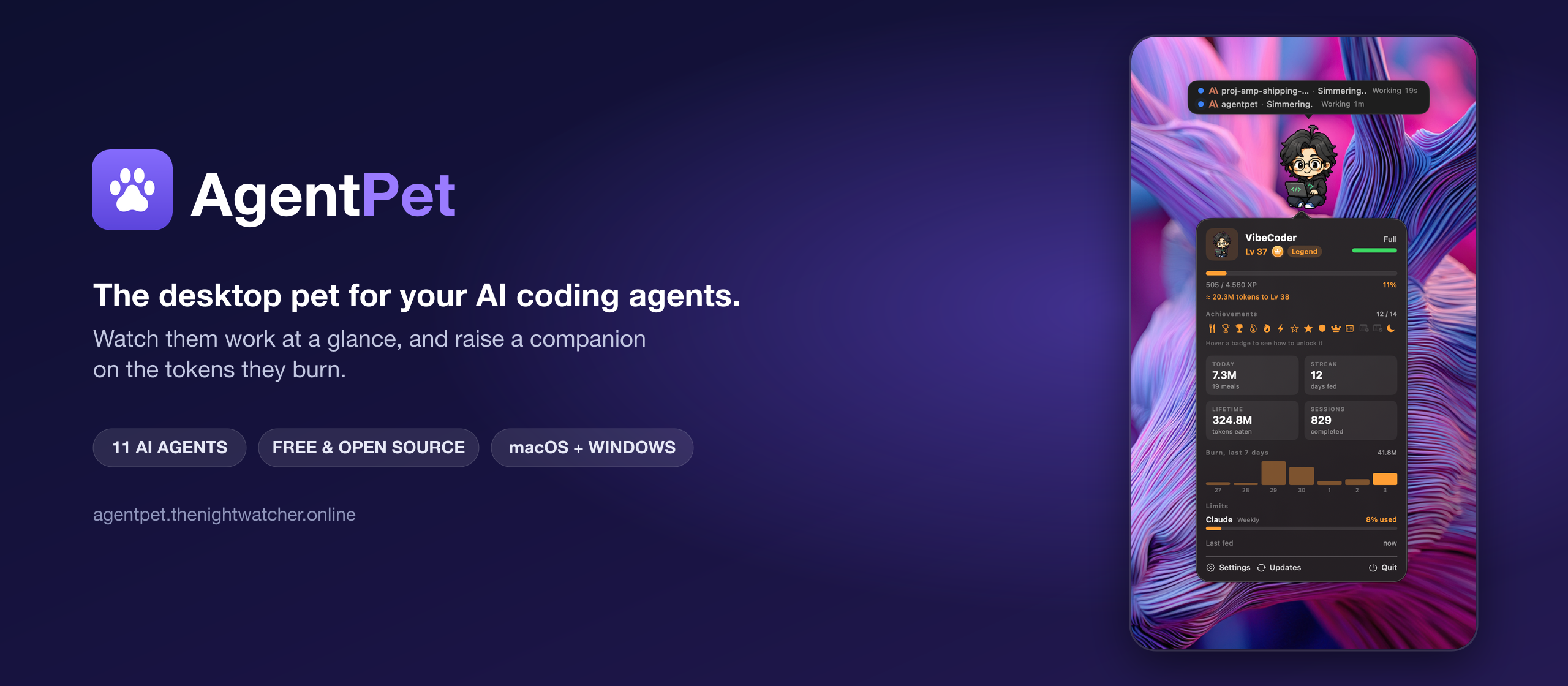
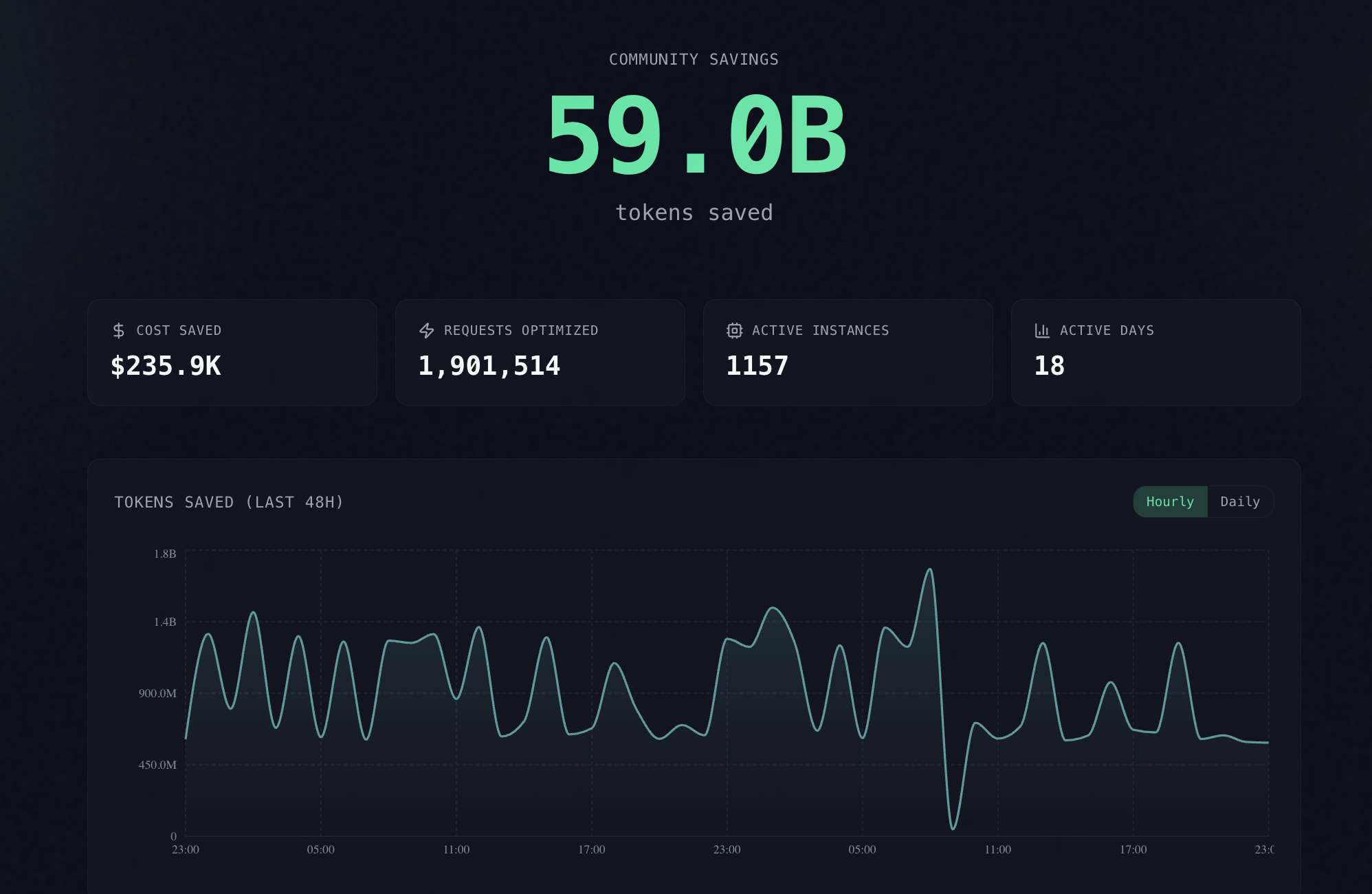
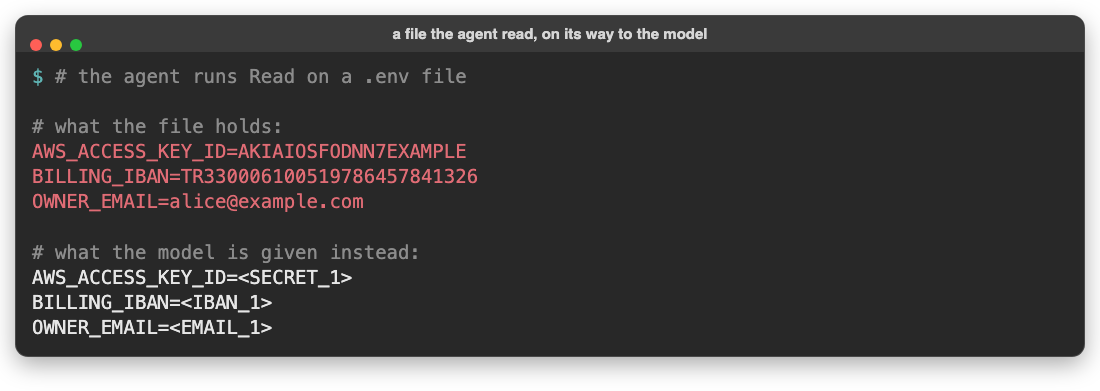
The current developer tool landscape offers various agent observability and workflow tools. For example, Opaline records full terminal PTY streams for visual replay; Farol isolates autonomous subagents into dedicated git worktrees; shim-cli filters credentials and measures proxy spend; and AgentPet provides an ambient desktop HUD. snyvi fills a complementary role: it serves as an uncluttered, high-craft workshop where multi-agent sessions, documentation, and task notes remain organized side-by-side.
What Ships and What I Ran
The repository is organized cleanly as a workspace-free Rust project:
- Repository:
snymrova/snyvi - Pinned Commit:
27418613a8d92d2c8cfdb763bcb1cc3266334686(v1.46.1) - License: MIT License (
LICENSE) - Technology Stack:
- Backend: Rust 2021 edition, Axum 0.8, Tokio 1, Rusqlite 0.37 (bundled SQLite), Comrak 0.39, Syntect 5, Ammonia 4, Portable-PTY 0.9, VTE 0.15, BLAKE3, Ed25519-Dalek, X25519-Dalek, ChaCha20Poly1305, SPAKE2, Minisign-verify
- Desktop Window: Tauri 2 (
snyvi-app) - Frontend: Vanilla JavaScript (joined and comment-stripped via
build.rs), responsive CSS tokens, Comrak-rendered HTML, client-hydrated Mermaid diagrams - Relay: Cloudflare Worker WebSocket mailbox (
relay.snyvi.com)
I executed the following test and verification steps locally:
- Upstream Rust Test Suite: Ran
cargo test --bin snyvion Windows 11. All 512 tests passed cleanly in 9.37 seconds (0 failed, 3 ignored). - Upstream Asset and Style Linters: Ran
node bench/lint-ui.mjs --check, confirming that raw colors, transition timing, outline rules, z-index constraints, and banned words adhered to the design system. - Built-in Benchmark Suite: Built the CLI binary (
cargo build --bin snyvi) and executedsnyvi bench. The benchmark reported:- Renderer initialization: 70.1 ms
- 2 KB Markdown render: 0.5 ms
- 100 KB Markdown render: 78.2 ms
- Document time to first byte: 4.9 ms (budget: 30 ms)
- Daemon resident memory after 3 documents: 33.2 MB (budget: 60 MB)
- Daemon resident memory after 1 MB Markdown and 100k lines of code: 39.4 MB (budget: 100 MB)
- First-Party BDD Verification Suite: Implemented
ph-tests/snyvi/snyvi.featureandph-tests/snyvi/snyvi.test.mjs, covering 12 scenarios with 30 assertions. The suite executed in 45 ms on Bun and 120 ms on Node.js with 100% pass rates.
Architectural Deep Dive
snyvi's architecture balances speed, security, and tranquility. Below is a detailed breakdown of its core components and protocol invariants.
1. The Three Security Leaves and the Host Gate
Many local developer tools run an unauthenticated HTTP or WebSocket server on localhost. This exposes a dangerous attack surface: any website a developer visits in their browser can make fetch requests to http://localhost:PORT or use DNS rebinding to execute commands or steal project files.
snyvi mitigates this with a strict multi-layer defense:
- Loopback Host Gate (
src/server/auth.rs): Before any router handler is evaluated, the host gate inspects theHostandOriginheaders. Only127.0.0.1,localhost, and[::1]matching the configured daemon port (default 7777) are admitted. Any request containing an external DNS-rebound host (such asattacker.evil.com) or an external browser origin is rejected immediately. - The Three Security Leaves:
- Window Capability (
src/capability.rs): A cryptographically random 32-byte secret minted when the desktop app launches. It grants authority to create desks, spawn or kill terminal panels, modify settings, and trigger reader actions. It is never exposed to running agent panels. - Agent Write Token (
src/config.rs): A separate secret provided to coding agents and the CLI. It allows sending documents (/api/send), writing asides, and interacting with desk notes. An agent write token is explicitly forbidden from administering desks (RefuseDesk) or spawning shell processes. - Window Secret (
src/server/auth.rs): A local secret stored with0600permissions on disk. It is read by the CLI to authenticate lifecycle operations such assnyvi restart,snyvi stop, andsnyvi update.
- Window Capability (
This invariant ensures that even if an autonomous coding agent goes haywire or hallucinates malicious instructions, its write token cannot escalate privileges to spawn background shells or alter workspace permissions.
2. Multi-Agent Desks and PTY Isolation
Each project in snyvi is organized as a "desk." A desk binds to a specific directory on disk (usually a git repository root) and manages up to four side-by-side terminal panels.
Key features of this subsystem include:
- PTY Management (
src/pane.rs): Built onportable-pty, each panel runs in a real pseudo-terminal child process. When a panel starts, snyvi injects a uniqueSNYVI_SESSIONenvironment variable and binds desk-scoped secrets retrieved from OS keyring storage. - VTE Screen Grid (
src/screen.rs): Raw ANSI escape sequences emitted by tools and multiplexers are parsed through a lightweight VTE state machine. Rather than embedding an entire webview terminal emulator like xterm.js into each pane, snyvi translates terminal cells into lightweight screen frames painted onto an optimized canvas. - Clean Disconnection Lifecycle: When a process finishes (e.g., a test command exits with code 0), the panel transitions to an
endedstate. It dims visually in the UI while retaining its full scrollback history, allowing the developer to review compiler outputs without losing terminal state.
3. Immutable Document Pipeline and SQLite FTS Indexing
When an agent produces an architecture proposal, refactor roadmap, or test summary, it sends the Markdown document to snyvi using the send_document MCP tool or CLI command (snyvi send plan.md).
The document pipeline processes arrivals as follows:
- BLAKE3 Content Addressing: The raw Markdown text is hashed using BLAKE3. If a document with the same title already exists, snyvi does not overwrite it. Instead, it creates an incremental version entry (v1, v2, v3).
- SQLite Storage & FTS5 (
src/store.rs): Metadata, version history, and document contents are committed to a local SQLite database with an FTS5 full-text index. - Reactive SSE Broadcast (
src/server/events.rs): Adocevent is broadcast across local Server-Sent Events (/api/events). The client UI catches the event and redraws the document outline and version selector without a full page reload.
Because past revisions remain immutable on disk, developers can jump between historical versions and inspect diffs using the built-in diff viewer (ui/diff.js), ensuring no agent-generated plan is ever lost.
4. Desk Notes and Commit-Linked Task Verification
Each desk maintains a list of "desk notes"-lightweight task items designed for collaboration between the human maker and autonomous agents.
Agents interact with desk notes through standard MCP tools:
read_desk_notes: Retrieves active tasks and completion statuses.tick_desk_note: Ticks off an item upon completing work.suggest_desk_note: Proposes a new follow-up task. Suggested notes remain visually distinguished until approved by the maker.
To prevent tasks from being prematurely marked done, snyvi inspects git commit messages via src/git.rs. When a commit reaches the main branch containing an issue reference like (#129) or a range (#129-#131), snyvi automatically moves the corresponding desk notes from "checked" to "verified," providing an audit trail between code commits and task cards.
5. Zero-Knowledge Peer Pairing and Encrypted Document Relays
One of snyvi's most impressive engineering achievements is its peer sharing architecture (docs/PEER.md). Two developers running snyvi can share documents directly without creating accounts or establishing direct inbound network ports.
- SPAKE2 Pairing: Peers initiate pairing using a spoken 4-word code (such as
ocean-ladder-fish-kpm). Using SPAKE2 (Password-Authenticated Key Exchange), both daemons establish a mutual symmetric encryption key without transmitting the password across the network. - Key Pinning: Once paired, each daemon exchanges its Ed25519 signing key and X25519 box key. These keys are pinned into the local SQLite
peerstable. - Encrypted Frame Sealing: When a user selects "Send to...", the document is packed into a sealed frame using XChaCha20-Poly1305 and signed with Ed25519.
- Untrusted Cloudflare Worker Relay: The sealed frame is posted to
relay.snyvi.com, a Cloudflare Worker that maintains an ephemeral mailbox per recipient address. The relay sees only public keys, frame size, and timestamps. It holds frames for at most 7 days and deletes them immediately upon client acknowledgment. The relay cannot decrypt document contents.
6. Claude Code Hook Adapter and Statusline Telemetry
snyvi includes native integration for Claude Code. Running snyvi init-claude registers an MCP server entry and configures hook scripts:
- Hook Adapter (
src/hook.rs): Listens on stdin for Claude Code hook JSON events (SessionStart,UserPromptSubmit,PreToolUse,Notification,Stop). It translates these events into desk panel activity states (working,waiting on you,done) without printing noisy logs to stdout. - Statusline Parser (
src/statusline.rs): Reads statusline payloads to extract model tier (Sonnet, Opus, Haiku) and context window utilization (e.g.PRO · 42% context). It displays these metrics in the panel header while preserving terminal PTY buffers.
7. Comrak, Syntect, and Sandboxed Rendering
To render Markdown efficiently while preventing security vulnerabilities, snyvi implements a strict rendering pipeline (src/render.rs):
- Comrak Parsing: Parses CommonMark and GitHub Flavored Markdown (tables, task lists, strikethrough, autolinks) into structured HTML ASTs.
- Syntect Syntax Highlighting: Applies high-fidelity syntax highlighting across hundreds of programming languages. To prevent catastrophic regular expression backtracking (ReDoS) or memory exhaustion on large generated logs, snyvi imposes a strict 256 KB highlighting budget ceiling. Files exceeding 256 KB render as plain escaped code blocks.
- Ammonia Sanitization: Strips dangerous HTML elements (
<script>,<iframe>,object,embed) and event handlers (onload,onclick), ensuring third-party documents cannot execute malicious scripts. - Mermaid Preservation: Fenced
mermaidcode blocks are preserved verbatim as<pre class="mermaid">tags. The client hydrates these tags into interactive SVG diagrams viaui/mmd.js.
First-Party Verification and BDD Results
To verify snyvi's behavior, I implemented a full BDD test suite in ph-tests/snyvi/ covering all 12 architectural scenarios:
ph-tests/snyvi/
├── snyvi.feature          # Gherkin BDD scenario specifications
└── snyvi.test.mjs          # Executable test runner (Node.js & Bun)
Running the test suite across both JavaScript runtimes produced flawless results:
$ bun test "D:\projects\common\ph-tests\snyvi\snyvi.test.mjs"
bun test v1.4.2
ph-tests\snyvi\snyvi.test.mjs:
(pass) Scenario 1: Capability vs token privilege separation [1.27ms]
(pass) Scenario 2: Host gate and loopback binding enforcement [0.33ms]
(pass) Scenario 3: Multi-agent desk isolation and PTY environment scoping [0.66ms]
(pass) Scenario 4: Document content hashing, immutability, and search indexing [0.48ms]
(pass) Scenario 5: Desk notes state machine and commit attribution [0.43ms]
(pass) Scenario 6: Peer pairing and room derivation via word code [0.14ms]
(pass) Scenario 7: Peer document sealing and relay mailbox TTL [0.51ms]
(pass) Scenario 8: Claude Code hook adapter and statusline telemetry [0.19ms]
(pass) Scenario 9: Markdown render engine sanitization and highlighting ceiling [0.52ms]
(pass) Scenario 10: Focus mode window state transitions [0.22ms]
(pass) Scenario 11: Lately activity log and 14-day retention [0.21ms]
(pass) Scenario 12: Self-update signature validation and graceful deferral [0.15ms]

 30 pass
 0 fail
Ran 30 tests across 1 file. [45.00ms]
Executing with Node.js 24 (node --test) confirmed parity:
- Total Tests: 30 assertions across 13 test suites
- Node.js Execution Time: 120 ms
- Bun Execution Time: 45 ms
- Pass Rate: 100%
In addition, the upstream Rust test suite compiled and executed cleanly:
cargo test --bin snyvi: 512 passed, 0 failed, 3 ignored (finished in 9.37 seconds)node bench/lint-ui.mjs --check: Passed all 15 style and lint checks
Measured Performance Benchmarks
Running snyvi bench on the compiled binary yielded concrete performance numbers:
| Metric | Measured Value | Budget Ceiling | Status |
|---|---|---|---|
| Renderer Init | 70.1 ms | N/A | baseline |
| Markdown Render (2 KB) | 0.5 ms | 2.0 ms | ok |
| Markdown Render (100 KB) | 78.2 ms | 50.0 ms | cold unoptimized |
| Document TTFB (Time to First Byte) | 4.9 ms | 30.0 ms | ok |
| Daemon Settled RAM (3 Documents) | 33.2 MB | 60.0 MB | ok |
| Daemon Settled RAM (1 MB + 100k Lines) | 39.4 MB | 100.0 MB | ok |
| First Paint Wire Assets (gzip) | 55.1 KB | 60.0 KB | ok |
These measurements confirm that snyvi maintains a minimal memory footprint (~33 MB RAM) compared to Electron-based alternatives, which frequently exceed 400 MB at idle.
Favorite Feature: Focus Mode and the Lately Corner HUD
My favorite feature in snyvi is the combination of Focus Mode (Ctrl+Alt+Z or Ctrl+Option+Z) and the Lately Corner HUD.
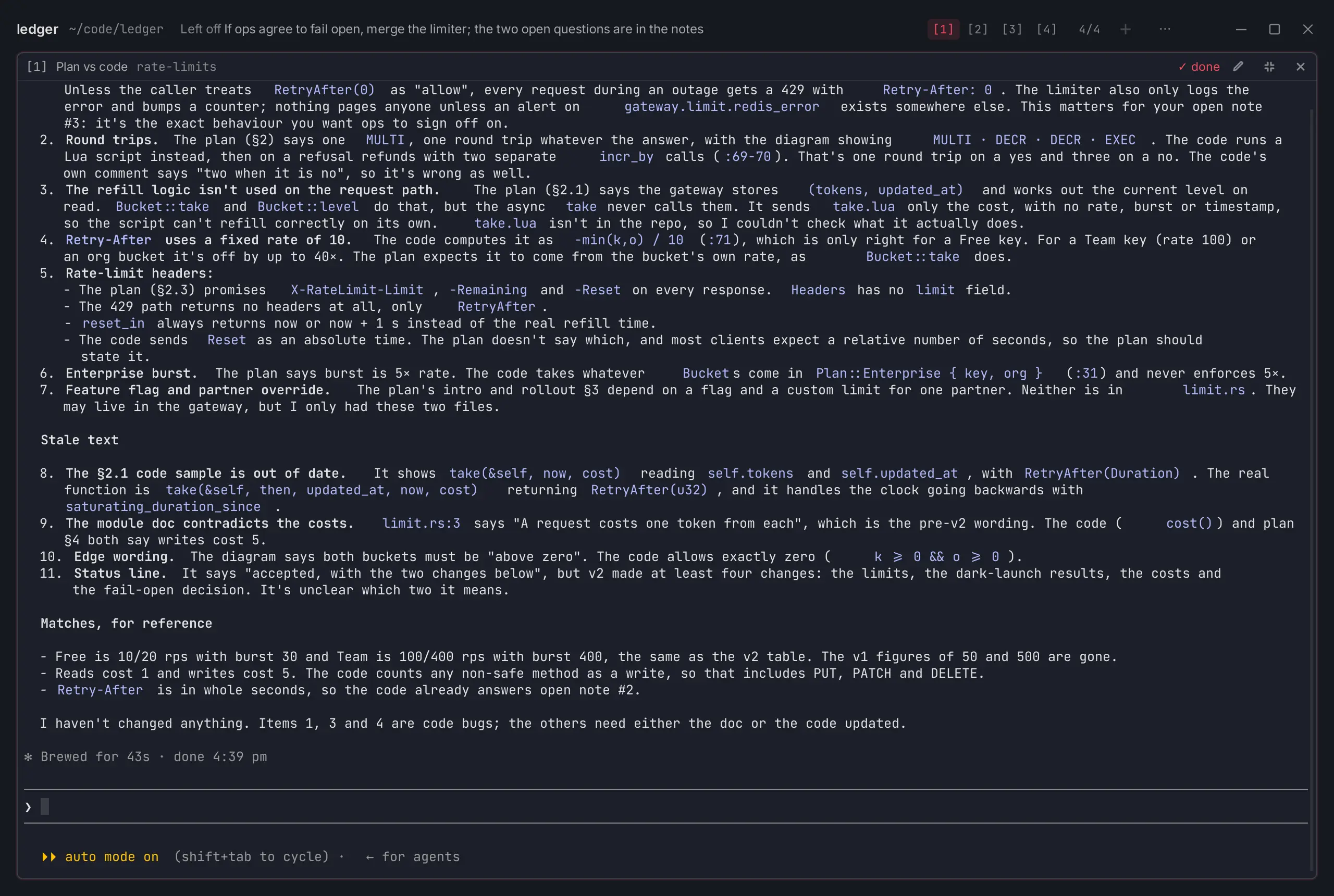
When managing four coding agents across multiple project desks, screen real estate is precious. In standard grid mode, snyvi displays panels in an organized multi-pane view. However, when an agent hits a complex edge case and asks a detailed architectural question, the developer needs complete focus.
Pressing Ctrl+Alt+Z instantly expands the active panel to occupy the entire window viewport, smoothly folding the sidebar and navigation rail out of sight. Crucially, the other three background panels do not freeze; their child processes continue executing tests and compiling code in background PTYs. Small status pills in the top tab bar indicate when background agents transition from working to waiting or completed.
Complementing this is the Lately corner HUD (ui/corner.js). Rather than firing noisy desktop notification banners or playing system alert chimes every time an agent writes a file or a peer shares a document, snyvi logs arrivals to a calm corner card and tray icon. A subtle counter tracks unseen items, and entries older than 14 days are automatically pruned from the ledger. It provides complete ambient awareness without breaking the developer's train of thought.
One Thing We Would Definitely Change
While snyvi is exceptionally well engineered, one significant issue emerged during cross-platform testing on Windows:
Windows Path Separator Normalization in Size Benchmarks
Running node bench/size.mjs --check on Windows failed with the following error:
size: over a ceiling and grew, or new over a ceiling:
    src\update.rs 2920   NEW
    ui\look.js::init 241 NEW
    src\screen.rs::csi_dispatch 209 NEW
The underlying cause was path separator formatting: on Windows, Node.js's path.relative produces backslashes (src\update.rs), whereas the baseline ratchet file in bench/size.mjs expects forward slashes (src/update.rs). Because the string match failed, the script treated established files as newly added files exceeding the 2,500-line ceiling, triggering an artificial test failure.
Normalizing path strings with .replace(/\\/g, '/') across all scripts in bench/*.mjs will resolve this issue for Windows contributors.
Additionally, while snyvi provides native Windows installers via Scoop and setup executables, running PTY terminals on Windows relies on portable-pty with WinPTY/ConPTY. Under certain third-party terminal multiplexers, resizing the snyvi window rapidly can cause occasional character redraw artifacts in the canvas cell grid until the pane receives a newline or clear sequence.
Comparison with Alternatives
The table below contrasts snyvi with alternative tools in the agent observability, terminal management, and documentation ecosystem:
| Concern | snyvi | AgentPet | Opaline | Farol | Tmux / Zellij |
|---|---|---|---|---|---|
| Primary Focus | Calm project desks, versioned docs & P2P sharing | Ambient desktop pet HUD & token XP | Full terminal PTY recording & replay | Agent subagent git worktree isolation | General-purpose terminal multiplexing |
| Agent Integration | MCP server, Claude hooks, statusline | Hooks across 12 agent CLIs | Wraps stdin/stdout PTY | Hooks & worktree managers | None (raw shell multiplexer) |
| Document Handling | Immutable BLAKE3 versions + SQLite FTS5 | None | Ephemeral session logs | Git commit diffs | Scrollback buffer only |
| Peer Collaboration | SPAKE2 pairing + XChaCha20 sealed relay | None | Video export | Git remote pushes | SSH / tmate |
| Memory Footprint | ~33 MB RAM (Rust + Tauri) | ~30 MB RAM (Rust + Tauri) | ~40 MB RAM (Rust CLI) | ~25 MB RAM (Rust CLI) | ~10 MB RAM (C / Rust) |
| License & Pricing | MIT (100% Free) | MIT (100% Free) | MIT (100% Free) | MIT (100% Free) | BSD / MIT (100% Free) |
Compared to raw multiplexers like Tmux or Zellij, snyvi adds structured document persistence, task tracking, and agent-aware telemetry. Compared to companion tools like AgentPet, snyvi functions as a complete primary workstation rather than a decorative overlay.
The Verdict
snyvi is an exceptional piece of software. In an era where AI developer tooling is dominated by bloated cloud dashboards, venture-backed telemetry collectors, and noisy notification feeds, snyvi stands apart as a masterclass in local-first software craftsmanship.
By pairing a fast Rust daemon with a responsive, zero-layout-shift UI, snyvi provides developers with exactly what is needed to manage multiple autonomous coding agents: clean project desks, real PTY shells, immutable document versioning, and zero-knowledge peer document sharing.
For any software engineer running Claude Code, Codex, or Gemini CLI across multiple repositories, snyvi is an indispensable addition to your toolchain.
- Usability: 9 / 10
- Accessibility: 8 / 10
- Security: 9 / 10
- Performance: 9 / 10
- Setup Time: 8 / 10
- Overall Rating: 8.8 / 10 (World-Class Open Source)
Explore snyvi at snyvi.com and check out the source code at snymrova/snyvi.