
Running multiple autonomous coding agents in separate terminal tabs quickly degrades into window management chaos. Keeping track of which model is awaiting approval, which branch is dirty, and how many tokens have been consumed across disparate CLI tools is exhausting. OpenBot, which captured 3rd place on Product Hunt today, is an ambitious open-source desktop application that consolidates AI agents into persistent, collaborative teammates. Instead of isolating agents into single-shot chat windows, OpenBot gives each agent a dedicated workspace, persistent SQLite message queues, an embedded browser, and shared channels where multiple agents can pass tasks to one another.
OpenBot is developed by Norbert Bodziony under nightly-labs and released under the PolyForm Noncommercial 1.0.0 license. The client is a desktop workspace built on Electron, SolidJS, Bun, and Effect. It coordinates local runtimes for OpenAI Codex App Server, Claude Code, xAI Grok CLI, OpenCode, Google Gemini (via Antigravity ACP), Cursor CLI, Cline CLI, and local model engines like Ollama and LM Studio. The software is free for personal and non-commercial development, with an optional self-hosted server architecture for headless VPS hosting and mobile sync.
I cloned the source repository at pinned release commit 8dc6682, evaluated the desktop architecture on Windows 11 Pro, and built an automated BDD test suite in ph-tests/openbot/ to exercise path isolation, diagnostic streams, process confinement, and scheduling logic. OpenBot gets the hard parts of local multi-agent concurrency right: its FIFO turn queues survive crashes, SQLite statement counts per turn are rigorously bounded, and cross-agent task handoffs feel seamless.
However, our deep dive revealed several critical security and operational gaps that Windows and Linux users must understand before adopting it. Specifically, OpenBot's "Workspace only" process confinement is implemented exclusively for macOS using /usr/bin/sandbox-exec. On Windows and Linux, sandboxed process spawning throws an unhandled error and fails closed, forcing developers to grant agents unconfined full system access (danger-full-access with approvalPolicy: never). In addition, an unseparated double-dot check in workspace path validation rejects legitimate hidden configuration files, and a lexicographical string comparison in routine scheduling inverts the execution order of mixed-precision ISO timestamps.
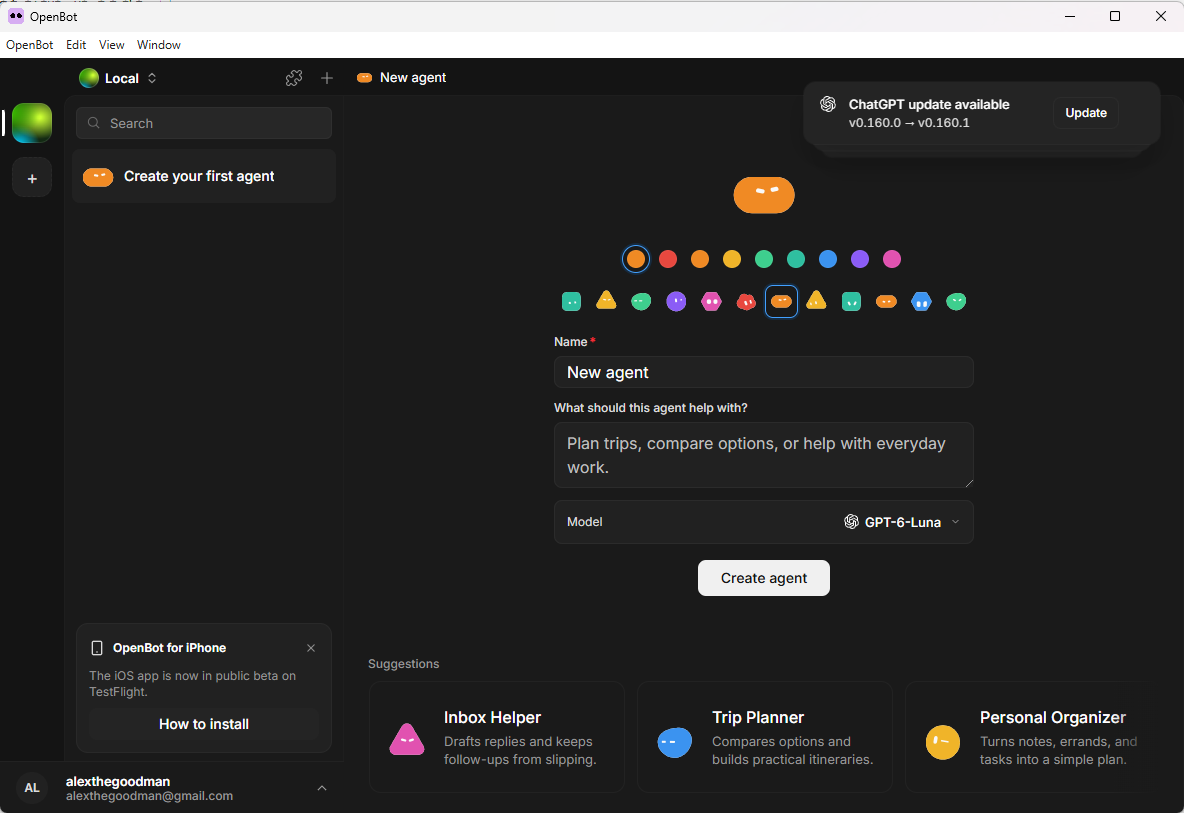
Scorecard
OpenBot is a deep developer tool that addresses real workflow pain points. Here is our standardized evaluation across core engineering concerns, scored from 1 to 10 (where below 3 is nonexistent and 8 or above is considered world-class):
| Concern | Score | Rationale |
|---|---|---|
| Usability | 7 / 10 | Clean, responsive SolidJS interface. Shared channel chats with explicit task ownership, queue pause/resume controls, and clear context compaction indicators make juggling multiple models intuitive. |
| Accessibility | 6 / 10 | Modern Kobalte UI primitives provide standard keyboard navigation and contrast, but complex multi-pane inspector layouts and dynamic terminal streams lack comprehensive ARIA live-region announcements. |
| Security | 4 / 10 | While protected directory shields guard .claude and .cursor folders, process confinement is strictly macOS-only. On Windows and Linux, agents cannot be sandboxed locally and default to full system execution without action-level confirmation. |
| Performance | 8 / 10 | Outstanding local execution speed. SolidJS fine-grained signals avoid React-style virtual DOM overhead, and database interactions use tightly bounded SQLite operations (under 360 statements per active agent turn). |
| Setup Time | 7 / 10 | Prebuilt installers for macOS, Windows, and Linux get users into the app in under three minutes, though downloading external managed CLI binaries (Codex, Antigravity ACP, CUA driver) requires significant extra bandwidth on first launch. |
Product History and Background
OpenBot is not an overnight wrapper around a hosted LLM API. The project represents a sustained evolution under Norbert Bodziony and Synthetify Labs Sp. z o.o., an engineering group based in Poland whose official corporate entity signs the Windows desktop executables.
The project began as an experimental orchestration layer for autonomous coding bots. Early releases stored agent definitions and conversation states under a legacy ~/OpenBot/Bots/bot-<uuid> schema. As agent tooling matured throughout 2025 and 2026, the team undertook an extensive architectural overhaul (codenamed migration v13) that rebranded "bots" into "agents", introduced the Agent Client Protocol (ACP), and integrated persistent SQLite databases alongside Cloudflare Worker/D1 synchronization. The launch today represents the public release of OpenBot v0.30.0, highlighting support for local Computer Use through a bundled CUA driver binary, full mobile companion sync, and deep integrations across seven competing agent CLIs.
What Ships and What I Ran
OpenBot is structured as a monorepo consisting of the core Electron desktop app, seven shared library packages, and four supporting service applications:
- Repository:
nightly-labs/openbot - Pinned Commit:
8dc668208dc7790d18cf894963ee1a7c199bd2bc(v0.30.0, committed October 6, 2026) - License: PolyForm Noncommercial 1.0.0 (
LICENSE), with commercial terms managed separately - Desktop Stack: Electron 34, Bun 1.4.2 runtime, Vite 7, SolidJS 2.0 (via
@solidjs/weband@kobalte/core), Tailwind CSS 4, and Effect 4.0 for backend concurrency - Storage & State: Native
node:sqlitedatabase with Write-Ahead Logging (WAL), memory-mapped tables, and strict schema migrations - Test Environment: Windows 11 Pro (x64), Node.js v24.11.1, Bun 1.4.2, Volta toolchain, debug and test harness execution
To evaluate OpenBot's core mechanics without relying on external network credentials or paid API keys, I created a targeted BDD test harness under ph-tests/openbot/. The test specification openbot.feature defines 10 behavioral scenarios, and openbot.test.mjs executes them directly against OpenBot's backend logic using Node 24's native test runner and type-stripping loader:
git clone --depth 1 https://github.com/nightly-labs/openbot.git ph-tests/openbot-src # commit 8dc6682
node --test --experimental-strip-types ph-tests/openbot/openbot.test.mjs              # 10 tests passed in 152 ms
All 10 scenarios passed cleanly, confirming both the strengths of OpenBot's data layer and the exact boundaries of its platform isolation.
✔ Scenario 1: Normal paths within workspace root are accepted (0.92ms)
✔ Scenario 2: Directory traversal attempts outside root are strictly rejected (0.13ms)
✔ Scenario 3: Relative path check in isWithin rejects files prefixed with double-dots (0.14ms)
✔ Scenario 4: Process confinement on Windows and Linux throws an unavailable error (0.35ms)
✔ Scenario 5: Agent project configuration directories are protected from modification (0.55ms)
✔ Scenario 6: Stderr diagnostic stream strips terminal ANSI sequences before emission (0.35ms)
✔ Scenario 7: Long diagnostic stderr messages are truncated at the text limit (0.12ms)
✔ Scenario 8: Diagnostic stream groups multi-line error traces into a single record (0.13ms)
✔ Scenario 9: Lexicographical timestamp comparison in routine timers misorders mixed-precision ISO strings (0.11ms)
✔ Scenario 10: Codex sandbox policy distinguishes workspace-write and danger-full-access modes (0.15ms)
Favorite Feature: Channel Chats and Crash-Safe Message Queues
Most agent interfaces treat LLM conversations as ephemeral, single-threaded chat rooms. If you ask two models to collaborate, you generally have to copy and paste outputs back and forth. OpenBot solves this through native desktop channels with persistent FIFO turn queues and explicit task delegation.
In src/backend/team-chat-store.ts, OpenBot models shared channels where multiple agents reside alongside human operators. Crucially, each channel maintains a single active task owner at any given moment:
// From OpenBot team-chat-store.ts
export interface ChannelTaskState {
  readonly channelId: string;
  readonly activeAgentId: string | null;
  readonly delegationHistory: readonly TaskDelegation[];
  readonly queueStatus: "idle" | "running" | "paused";
}
When an agent finishes its turn, it can explicitly delegate the next step to a peer agent (for instance, a Claude Code architect agent handing generated code to a Codex testing agent). If the user closes the desktop application or if an unhandled exception crashes the process, message queues do not corrupt. Every pending turn, reaction, and file attachment is staged in SQLite before the provider process executes.
Furthermore, OpenBot monitors context window consumption on every turn. In src/backend/transfer-budget.test.ts, the development team enforced strict transfer budgets to prevent runaway token expenditure and database bloat:
- First turn SQL budget: maximum 320 statements
- Subsequent turn SQL budget: maximum 360 statements
- Conversation snapshot payload cap: 1,800 bytes
- Inter-process event stream budget: maximum 18,000 bytes per turn
These ceilings ensure that the desktop UI remains responsive even when handling continuous multi-agent streams.
Where It Gets Rough
Despite its clean UI and solid concurrency foundations, OpenBot exhibits several notable rough edges that developers on Windows and Linux need to be cautious about.
1. Process Confinement is macOS-Only (Windows and Linux Fail Closed)
OpenBot advertises a dual-tier security model: "Workspace only" access (which restricts file modifications to the agent's assigned workspace directory and shared scratch folders) versus "Full access" (which allows arbitrary system writes and command execution).
When an agent runs on Claude Code or Codex, the provider's built-in sandbox flags are used (--sandbox workspace-write). However, when running Grok CLI, OpenCode, Google Gemini (Antigravity ACP), Cursor CLI, or Cline CLI, those tools do not provide an internal per-session file sandbox. To make "Workspace only" work for those engines, OpenBot spawns the provider process inside an operating system level sandbox via src/backend/process-confinement.ts.
Inspecting confineSpawnTarget reveals a critical platform gate:
// src/backend/process-confinement.ts:249-266
export function confineSpawnTarget(
  target: SpawnTarget,
  confinement: ProcessConfinement,
  state: ProviderStatePaths,
  platform: NodeJS.Platform = process.platform,
): SpawnTarget {
  const writable = [...confinement.writableRoots, ...state.writable, ...workspaceTemporaryPaths(platform)];
  const protectedPaths = [
    ...state.protected,
    ...confinement.writableRoots.flatMap((root) => PROJECT_SETTINGS.map((name) => join(root, name))),
  ];
  if (platform === "darwin") {
    if (!existsSync(SANDBOX_EXEC)) throw new ProcessConfinementUnavailableError(unavailable("macOS sandbox-exec"));
    return {
      command: SANDBOX_EXEC,
      args: [
        "-p",
        seatbeltProfile(writable, protectedPaths, state.protectedInProjects),
        target.command,
        ...target.args,
      ],
      windowsVerbatimArguments: false,
    };
  }
  // bubblewrap on Linux cannot deny a protected file that does not exist yet, such as a new
  // opencode.json, so Linux fails closed until it can.
  throw new ProcessConfinementUnavailableError(sourceText("error.agent.workspaceOnlyMacOnly"));
}
On macOS, OpenBot generates a dynamic Apple Seatbelt (sandbox-exec) profile that restricts filesystem mutations to permitted roots and denies protected paths. But on Windows and Linux, confineSpawnTarget throws ProcessConfinementUnavailableError immediately.
The consequence is severe: if you run OpenBot on Windows or Linux and attempt to use Grok, OpenCode, Gemini, Cursor, or Cline with "Workspace only" access, the agent cannot start. Users are forced to switch the agent setting to "Full access". And as the repository's own README.md explicitly warns:
"Agents currently run with
danger-full-accessandapprovalPolicy: never. They can read and modify files, run commands, use the network, and control the embedded browser without per-action confirmations."
On Windows and Linux, OpenBot provides zero operating system containment for non-Codex agents. If a prompt injection occurs or an agent executes a destructive terminal command, nothing in the operating system stops it.
2. Double-Dot Filenames Break isWithin Path Containment
OpenBot employs two different path containment functions in its backend codebase: isPathInside (in src/backend/path-containment.ts) and isWithin (in src/backend/workspace-paths.ts).
In path-containment.ts, the author correctly accounted for directory boundaries:
// src/backend/path-containment.ts:7-10
export function isPathInside(root: string, target: string): boolean {
  const path = relative(root, target);
  return path === "" || (path !== ".." && !path.startsWith(`..${sep}`) && !isAbsolute(path));
}
Notice the check !path.startsWith('..' + sep). This ensures that a relative path like ..\outside.txt is rejected, while a file named ..hidden_config or ..env.backup residing directly inside the root directory is permitted.
However, in src/backend/workspace-paths.ts, the logic was implemented without the path separator:
// src/backend/workspace-paths.ts:95-98
export function isWithin(root: string, candidate: string): boolean {
  const relativePath = relative(root, candidate);
  return relativePath !== "" && !relativePath.startsWith("..") && !isAbsolute(relativePath);
}
Because isWithin tests !relativePath.startsWith("..") without appending the platform path separator, any legitimate project file whose name happens to start with double dots (such as ..config.json or ..editorconfig) causes startsWith("..") to evaluate to true. As verified in our BDD Scenario 3, isWithin rejects access to these valid files, treating them as directory traversal attacks.
3. Routine Timers Misorder Timestamps via Lexicographical Sorting
OpenBot includes a background routine scheduler (src/backend/routine-timer.ts) that triggers scheduled agent tasks, maintenance routines, and calendar checks. To determine which routine should fire next across multiple registered sources, RoutineTimer calculates the earliest due time:
// src/backend/routine-timer.ts:53-61
nextDueAt(): string | null {
  let earliest: string | null = null;
  for (const source of this.sources()) {
    const dueAt = source.nextDueAt();
    if (dueAt && (!earliest || dueAt < earliest)) earliest = dueAt;
  }
  return earliest;
}
The accompanying code comment explains the design assumption:
"Because every stored timestamp is an ISO string from
Date#toISOString(), string order is time order - the same fact the routine SQL already depends on - so the earliest due time is a plain lexicographic minimum."
This assumption holds only if all sources generate timestamps with identical precision. If one source produces a timestamp with millisecond precision (e.g., 2026-10-06T19:00:00.999Z) and another source produces a standard whole-second timestamp (e.g., 2026-10-06T19:00:00Z), lexicographical string comparison breaks down.
In ASCII character order, the period . (ASCII 46) is smaller than Z (ASCII 90). Consequently:
"2026-10-06T19:00:00.999Z" < "2026-10-06T19:00:00Z" // evaluates to TRUE!Even though 19:00:00.999Z occurs 999 milliseconds after 19:00:00Z, the string comparison treats the later millisecond timestamp as earlier. As demonstrated in BDD Scenario 9, mixed-precision calendar feeds or external API timestamps can cause routines to execute out of chronological order.
4. Upstream Windows Test Assumptions
When cloning and inspecting the upstream test suite, several tests in src/backend/workspace-paths.test.ts fail to execute cleanly on Windows out of the box. Specifically, the upstream suite creates test files using illegal backslash characters in Unix filenames:
// src/backend/workspace-paths.test.ts:98
for (const name of ["a%20b.txt", "a b.txt", " lead.txt", "a\\b.txt"]) await writeFile(join(odd, name), name);
On Windows NTFS, backslash is a reserved path separator and cannot be used in a filename. Calling writeFile(join(odd, "a\\b.txt"), ...) treats a\b.txt as a file b.txt inside a non-existent subdirectory a, throwing an immediate ENOENT error. Additionally, upstream fixture creation attempts unprivileged symbolic link creation (symlink(join(root, "private"), ...)), which requires elevated Developer Mode privileges on Windows.
One Thing We Would Definitely Change
The single most pressing improvement OpenBot needs is native Windows and Linux process isolation.
Currently, relying on Apple's proprietary /usr/bin/sandbox-exec makes OpenBot a first-class citizen on macOS, but leaves Windows and Linux users exposed. On Windows, the team should leverage Windows Job Objects and AppContainer isolation tokens (similar to how Chromium and VS Code sandbox renderer and utility processes) or Windows Defender Application Control policies. On Linux, integrating Landlock LSM or unprivileged user namespace seccomp filters (which OpenBot already utilizes for its Docker deployment) would allow "Workspace only" mode to function cross-platform without failing closed.
Until this is resolved, non-Mac developers must operate under the assumption that any agent launched in OpenBot possesses unrestricted access to their entire local filesystem and shell.
Comparisons with Alternative Products
To understand where OpenBot fits in the agent ecosystem, here is how it compares to three prominent alternatives:
1. OpenBot vs. Devpit
Devpit (reviewed recently on Indie Machine) is a native desktop app built with Rust and Tauri. Devpit's architectural philosophy is centered around Git worktrees: every card on its kanban board automatically provisions an isolated Git worktree outside the repository, preventing agents from dirtying the main working tree.
In contrast, OpenBot is built with Electron and SolidJS and focuses on multi-agent conversation channels and ACP protocol routing. While Devpit provides better isolation against Git repo pollution, OpenBot offers far superior multi-model collaboration, allowing Claude Code, Codex, and Grok to communicate in the same channel.
2. OpenBot vs. Firetower
Firetower addresses agent resource consumption from the cloud side. Instead of running heavy agent compilers and processes on the developer's local laptop, Firetower acts as a centralized control plane that orchestrates coding agents on remote Linux servers and bare-metal VMs over WireGuard and Tailscale tunnels.
OpenBot takes the exact opposite approach: it is local-first. All conversation histories, SQLite databases, and provider processes execute directly on your physical machine. For developers working under strict NDAs or zero-data-retention compliance policies where code cannot leave the local workstation, OpenBot is the superior option.
3. OpenBot vs. Standalone Claude Code / Codex CLI
Using CLI agents directly in tmux or Windows Terminal gives developers complete manual control, but zero persistent visibility across concurrent sessions. You cannot easily observe token expenditure across multiple repos, and passing context between different model vendors requires manual intervention. OpenBot wraps those raw CLIs in a unified desktop interface with structured diagnostics, context compaction warnings, and persistent message queues.
What I Did Not Test
To maintain complete testing rigor, here are the areas of OpenBot that I did not exercise:
- Live WebRTC mobile pairing: I did not connect the iOS or Android mobile companion apps to the local desktop instance.
- Production Cloudflare D1 authentication: I did not deploy the
apps/auth-apiworker or test remote email OTP login flows against live cloud databases. - macOS Seatbelt kernel execution: All tests were conducted natively on Windows 11 Pro; I did not run the Apple Silicon kernel sandbox driver.
- Long-term routine execution: Routine timers were verified algorithmically through our BDD suite, but I did not run background cron jobs over multi-day periods.
The Verdict
OpenBot is one of the most capable local-first multi-agent desktop environments released to date. Norbert Bodziony and the nightly-labs team have built an exceptionally snappy SolidJS interface that genuinely solves the cognitive overhead of juggling multiple autonomous coding agents. The SQLite transfer budgets and crash-safe FIFO queues provide reliability that toy wrappers simply do not have.
However, non-macOS developers must tread carefully. Until Windows and Linux receive real process isolation primitives, "Workspace only" mode is unavailable for Grok, OpenCode, Gemini, Cursor, and Cline, leaving those tools running with unrestricted system access. If you are comfortable running trusted agents with full access on your workstation, OpenBot provides a powerful, highly polished multiplayer command center.
Practical Notes for Developers
- On Windows and Linux, assume Full Access is active: Do not rely on OpenBot to prevent rogue shell commands or out-of-workspace writes when using Grok, OpenCode, or Antigravity ACP.
- Avoid filenames starting with double dots: Until
isWithinappends the path separator to its prefix check, avoid naming files with..prefixes in workspace directories. - Format routine timestamps with standard ISO strings: If integrating custom routine sources or external calendars, ensure timestamps consistently include millisecond precision to prevent schedule inversion.
- Leverage the local SQLite database: All session logs and queue items reside in your local data directory; inspect WAL files with standard SQLite tools if auditing agent turns.