Cuphead's animation was painted frame by frame in real ink and watercolor, run through traditional cel-animation techniques, before anything touched a computer. Okami built an entire mechanic, the Celestial Brush, around drawing directly onto the world with ink. Dragon's Lair was, famously, just Don Bluth's animation played back on a laserdisc with a very impatient input system. None of those pipelines look anything like a modern engine's asset import step, and that's kind of the point - the hand-drawn look usually comes from a process that never went through a 3D pipeline at all.
Blender's Grease Pencil is the closest thing to a bridge: it lets you draw strokes directly in 3D space, on movable, curvable surfaces, inside the same tool you'd use to build the rest of a scene. This post covers Canvas Surfaces, Entropy's own version of that idea - anchored, movable, drawable quads you paint on with a real pressure-sensitive stylus, positioned and organized like any other object in a running 3D scene, with no export step between drawing something and it being the level. The difference is that Canvas Surfaces offers a superior UX for this specific task (and won't crash on you).
What we're building
- Spawn a flat canvas surface anywhere in 3D space, at a chosen size, and freely translate/rotate it.
- Draw on it with a pressure/tilt-aware stylus (reusing the brush engine from the stylus-drawing post), or a mouse fallback.
- Move a surface after drawing on it - the strokes stay exactly where they were drawn, since they live in the surface's own texture space, not world space.
- Surfaces snap together at the edges when moved close to each other.
- A layers-style panel lists every surface, with select/hide/show/delete.
- A free camera, orbiting on right-click-drag rather than shift+left-drag, so a stylus hand never has to leave the tablet to hold a modifier key.
- All of it is already the running scene. There's nothing to bake, export, or reimport.
New demo addon: examples/studio-bundle/src/apps/canvas_surface_addon.ts, cargo run --bin example -- canvas-surface-demo.
The architecture: a 3D Sprite, not a new renderer
Every surface is a single flat quad - four vertices, two triangles, the exact shape game2d's Sprite already uses for 2D, generalized from an x/y/rotation to a real 3D position plus yaw/pitch/roll:
const CORNERS: Array<[number, number, number, number]> = [
    [-1, 1, 0, 0],  // top-left
    [1, 1, 1, 0],   // top-right
    [1, -1, 1, 1],  // bottom-right
    [-1, -1, 0, 1], // bottom-left
];
const QUAD_INDICES = [0, 2, 1, 0, 3, 2];

function worldCorner(s: Surface, lx: number, ly: number): Vec3 {
    const local: Vec3 = [lx * s.halfW, ly * s.halfH, 0];
    return addV(localToWorldDir(local, s.yaw, s.pitch, s.roll), s.position);
}
Entropy.Model.createMesh builds it once; moving or rotating it recomputes all four world-space corners and pushes them with Entropy.Mesh.updateVertices. That's not a shortcut - per game2d/sprite.ts's own doc comment, a plain createMesh mesh has no transform of its own to update, only vertex positions. Rotation is three small matrices, composed and inverted the ordinary way:
function localToWorldDir(v: Vec3, yaw: number, pitch: number, roll: number): Vec3 {
    return rotY(rotX(rotZ(v, roll), pitch), yaw);
}
function worldToLocalDir(v: Vec3, yaw: number, pitch: number, roll: number): Vec3 {
    return rotZ(rotX(rotY(v, -yaw), -pitch), -roll);
}
Each surface also owns a private, CPU-painted RGBA texture, sampled by a small unlit pipeline - the same "dynamic texture on a textured quad" shape media_player_addon.ts already proved for video frames. This choice is what makes moving a drawn-on surface trivial: the strokes are baked into a texture with a fixed 0..1 UV mapping, not into world-space geometry, so translating or rotating the quad carries the drawing along for free. It's also what makes edge snapping and resizing cheap - both are pure vertex-position operations that never touch the texture at all.
Painting: a ray-plane intersection, not a raycast op
Turning a screen-space stylus position into a pixel inside a surface's own texture means finding where the ray hits the surface, then converting that hit into local UV space:
function raycastSurfaces(screenX: number, screenY: number): SurfaceHit | null {
    const ray = Entropy.Camera.screenToWorldRay(screenX, screenY);
    let best: SurfaceHit | null = null;
    for (const s of surfaces) {
        if (!s.visible) continue;
        const normal = localToWorldDir([0, 0, 1], s.yaw, s.pitch, s.roll);
        const denom = dotV(ray.direction, normal);
        if (Math.abs(denom) < 1e-6) continue;
        const t = dotV(subV(s.position, ray.origin), normal) / denom;
        if (t <= 0) continue;
        if (best && t >= best.t) continue;

        const hitWorld = addV(ray.origin, [ray.direction[0] * t, ray.direction[1] * t, ray.direction[2] * t]);
        const local = worldToLocalDir(subV(hitWorld, s.position), s.yaw, s.pitch, s.roll);
        const u = local[0] / s.halfW, v = local[1] / s.halfH;
        if (u < -1 || u > 1 || v < -1 || v > 1) continue;
        best = { surface: s, px: ((u + 1) / 2) * CANVAS_RES, py: ((1 - v) / 2) * CANVAS_RES, t };
    }
    return best;
}
This is a hand-rolled ray-plane test, the same shape as the FFT water ripples post's raycastToOceanPlane/worldToOceanUV, and it's deliberate rather than a gap. addon.d.ts declares Entropy.Selection.raycast(screenX, screenY), but its Rust side, op_selection_raycast, doesn't exist yet - addon_setup.js's own implementation of it is a stub that always returns null. Confirmed by reading it before relying on it, not discovered by it silently failing at runtime.
Once a hit resolves to a pixel, the actual painting is the stylus-drawing post's brush engine, generalized to write into whichever surface's own canvas buffer a stroke lands on instead of one global one - same elliptical stamp function, same pressure/tilt-driven radius and elongation, same four brushes.
Editing a surface: gizmo, sliders, and snapping, all one code path
Position can be dragged with Entropy.Gizmo's translate handles or set with X/Y/Z sliders - both funnel through the same function, which is also where edge snapping happens:
function setSurfacePosition(s: Surface, candidate: Vec3, snap: boolean): void {
    s.position = snap ? snapPosition(s, candidate) : candidate;
    pushSurfaceTransform(s);
    if (activeGizmoId && activeSurfaceId === s.id) Entropy.Gizmo.updatePosition(activeGizmoId, s.position);
}
snapPosition compares the moving surface's world-space AABB (its four corners' min/max, since rotation isn't changing mid-drag) against every other surface's AABB, one axis at a time, and pulls the candidate onto the nearest edge or center alignment within 0.2 world units:
function snapPosition(s: Surface, candidate: Vec3): Vec3 {
    const current = surfaceAABB(s);
    const others = surfaces.filter(o => o !== s).map(surfaceAABB);
    const snapped: Vec3 = [...candidate];
    for (let axis = 0; axis < 3; axis++) {
        const shift = candidate[axis] - s.position[axis];
        const candMin = current.min[axis] + shift, candMax = current.max[axis] + shift;
        const candCenter = (candMin + candMax) / 2;
        let bestDelta = 0, bestDist = SNAP_DISTANCE;
        for (const o of others) {
            const oMin = o.min[axis], oMax = o.max[axis], oCenter = (oMin + oMax) / 2;
            for (const delta of [oMin - candMax, oMax - candMin, oCenter - candCenter]) {
                if (Math.abs(delta) < bestDist) { bestDist = Math.abs(delta); bestDelta = delta; }
            }
        }
        snapped[axis] = candidate[axis] + bestDelta;
    }
    return snapped;
}
This is an AABB snap, not a true rotated-edge snap - exact for the common case (tiling flat, axis-aligned surfaces into a wall or floor) and approximate once a surface is tilted. Worth being explicit about, not worth solving this pass.
Hiding a surface (the layers panel's Hide/Show) has no dedicated engine op to lean on either - a plain createMesh mesh has no visibility flag - so it clears and, on Show, recreates the mesh from the surface's current geometry and texture binding:
function setSurfaceVisible(s: Surface, visible: boolean): void {
    if (s.visible === visible) return;
    s.visible = visible;
    if (visible) createSurfaceMesh(s);
    else Entropy.Model.clearMesh(s.meshId);
}
Right-click to orbit
Entropy.Controls.enable already exists for orbit/pan camera schemes; the default trigger is shift+left-drag. That's an awkward chord to hold with a stylus hand busy on the tablet, so this addon asks for a plain right-drag instead:
Entropy.Controls.enable("orbit", { target: [0, 1.2, 0], trigger: "always", button: 1 });trigger: "always" drops the modifier-key requirement, button: 1 is the right mouse button. Left-drag stays free for drawing and gizmo dragging without any coordination between the two - they're already on different buttons.
Evidence
Same machine as recent Entropy posts: 12th Gen Intel Core i5-12500, Windows 11 Pro 10.0.26200. rustc 1.94.1, cargo 1.94.1, deno 2.6.7.
cd examples/studio-bundle && npm run build-canvas-surfaces   # deno bundle -> dist/canvas_surfaces.js
cargo build --bin example
cargo run --bin example -- canvas-surface-demo
cargo build --bin example clean. npm run build-canvas-surfaces (deno bundle) clean. tsc --noEmit reports no new errors in canvas_surface_addon.ts.
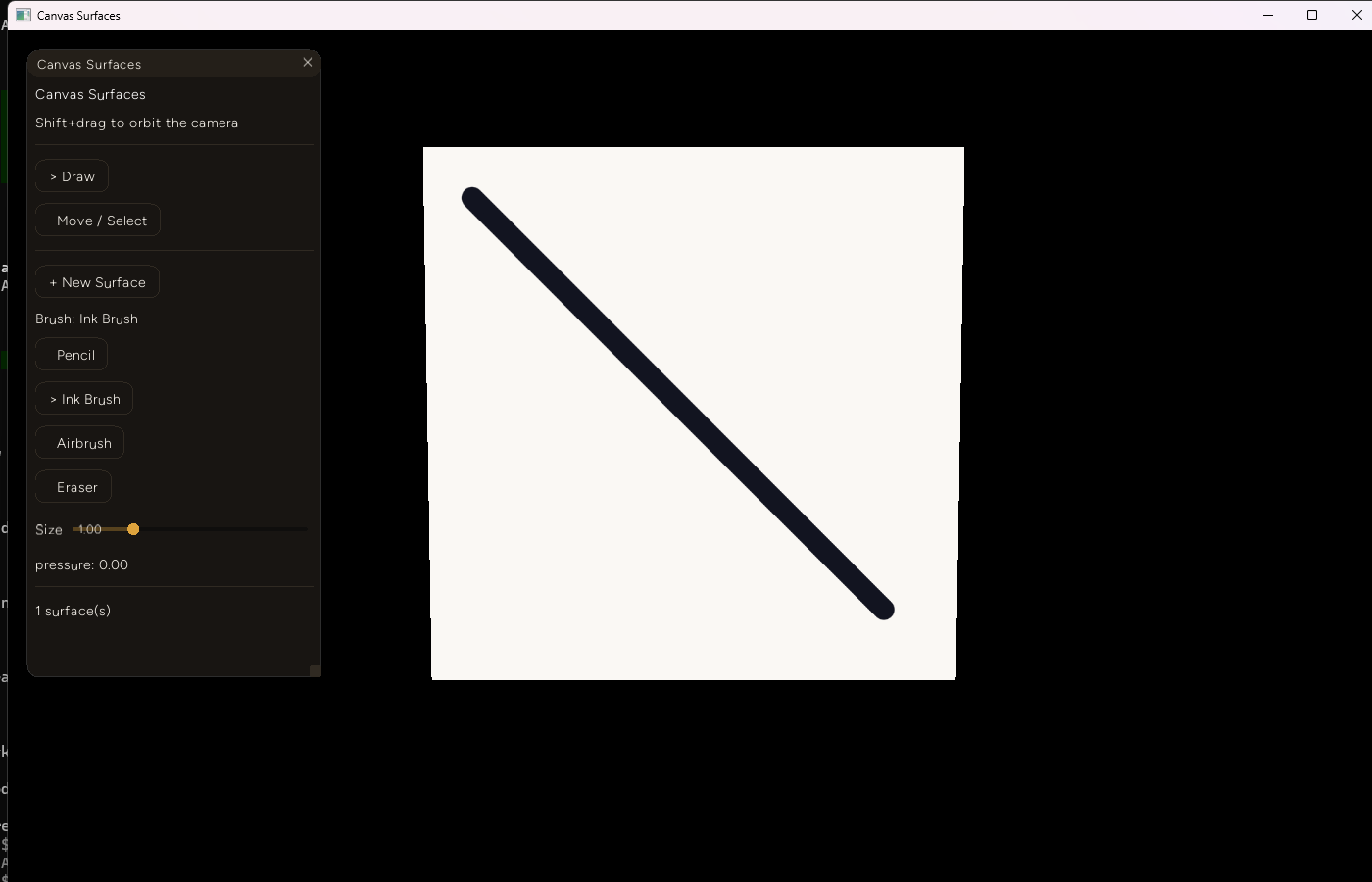
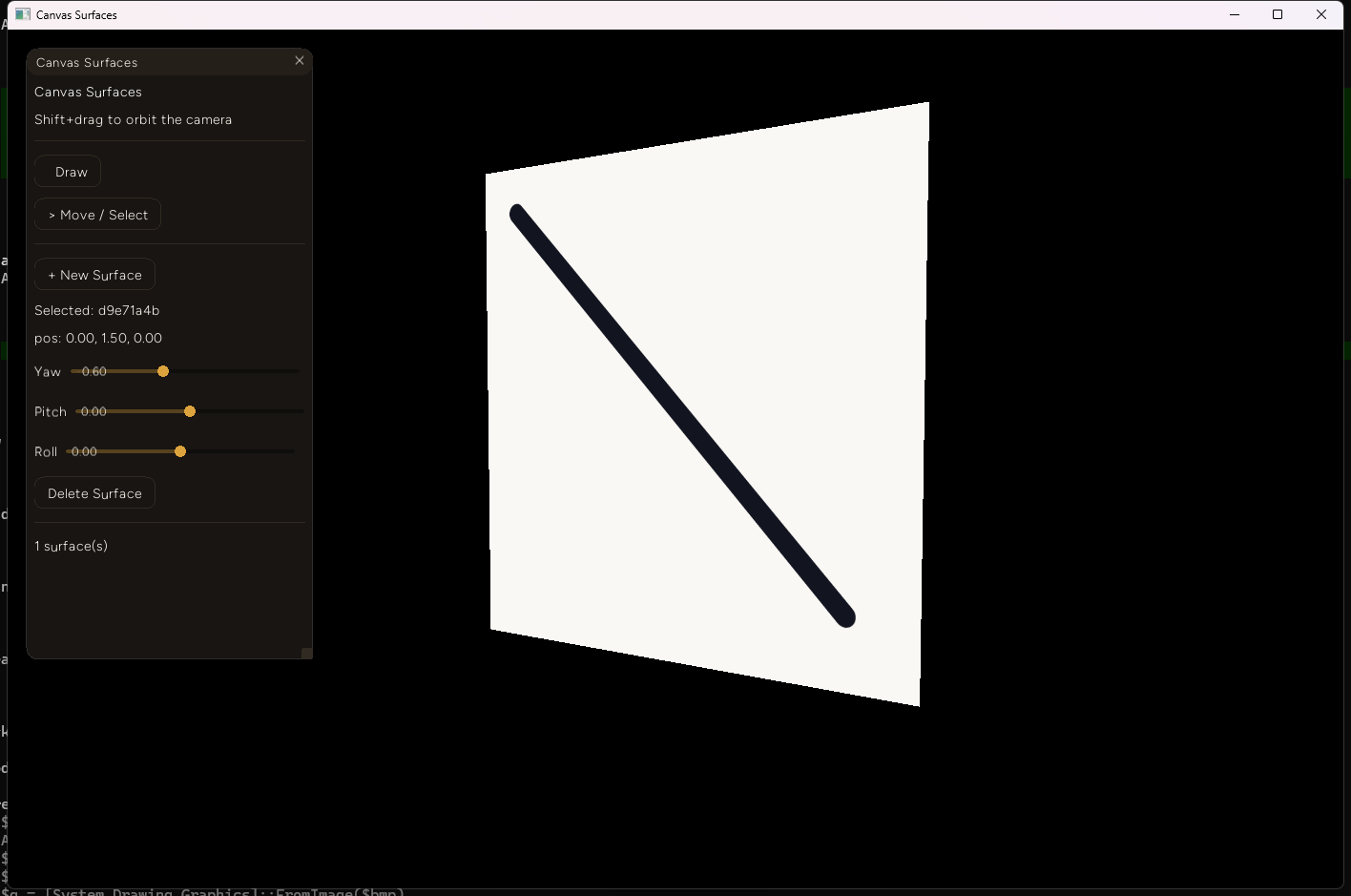
A real diagonal ink stroke, drawn with the mouse fallback path on a freshly spawned surface:
The same surface after setting yaw to -0.60 via the rotation slider - perspective-correct foreshortening, and the stroke stays exactly where it was drawn relative to the surface, not the world:
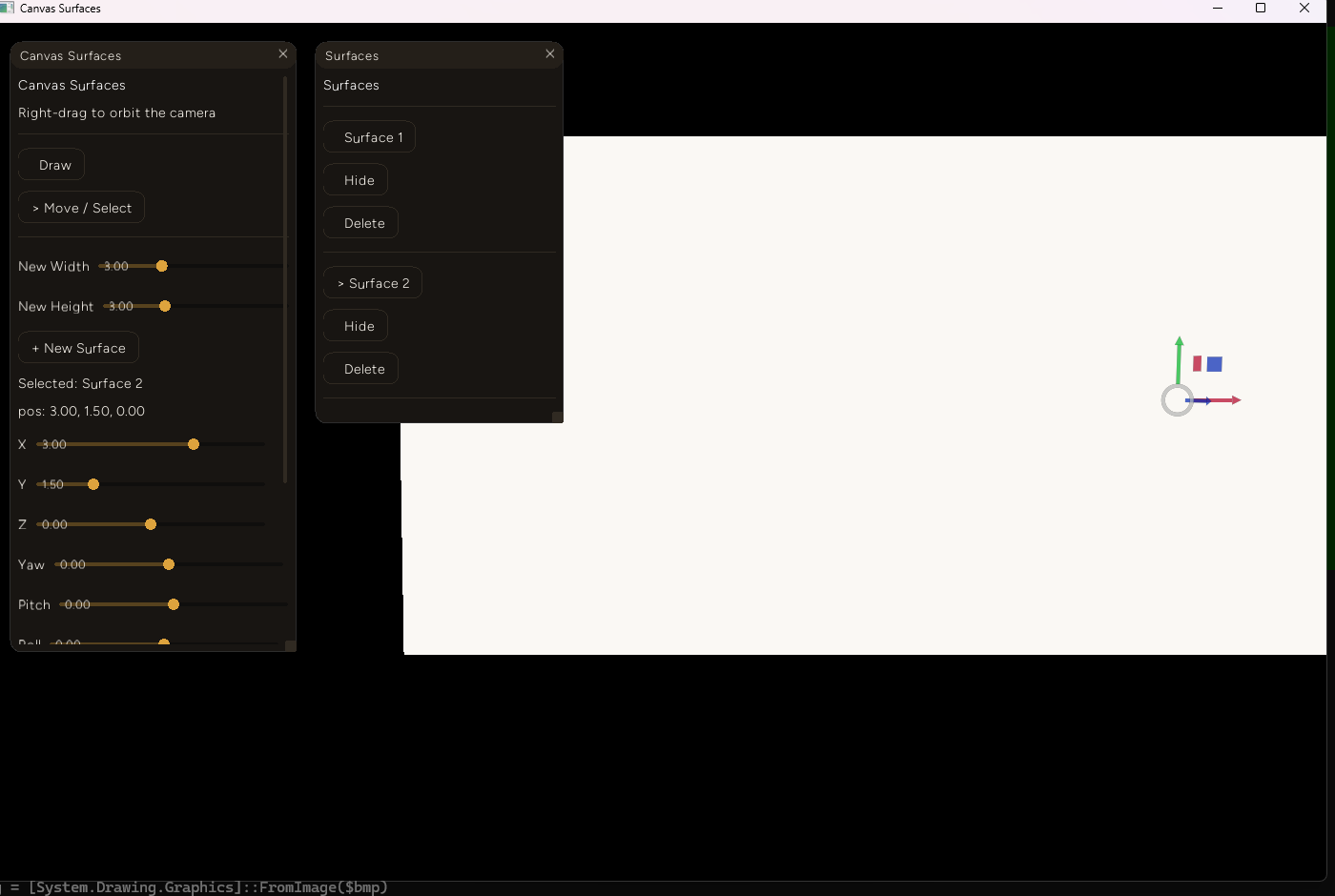
Two default-sized surfaces, the second dragged toward the first via its X-position slider - the position snapped to exactly 3.00, the true touching distance for two 1.5-half-width surfaces, and the pair reads as one seamless panel:
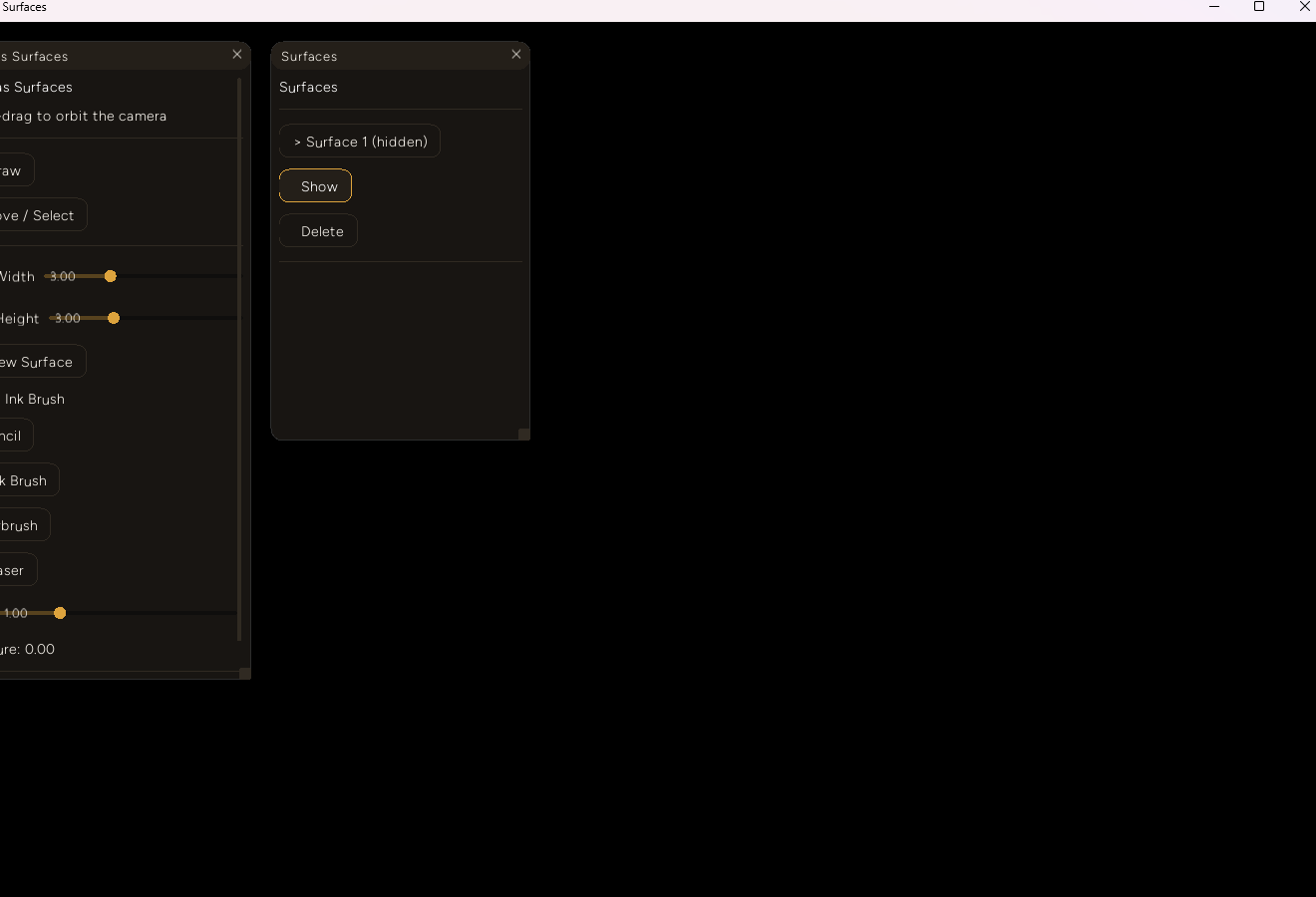
The Surfaces panel's Hide button removes a mesh from the 3D view entirely (confirmed here - the surface is completely gone, not just invisible-but-present):
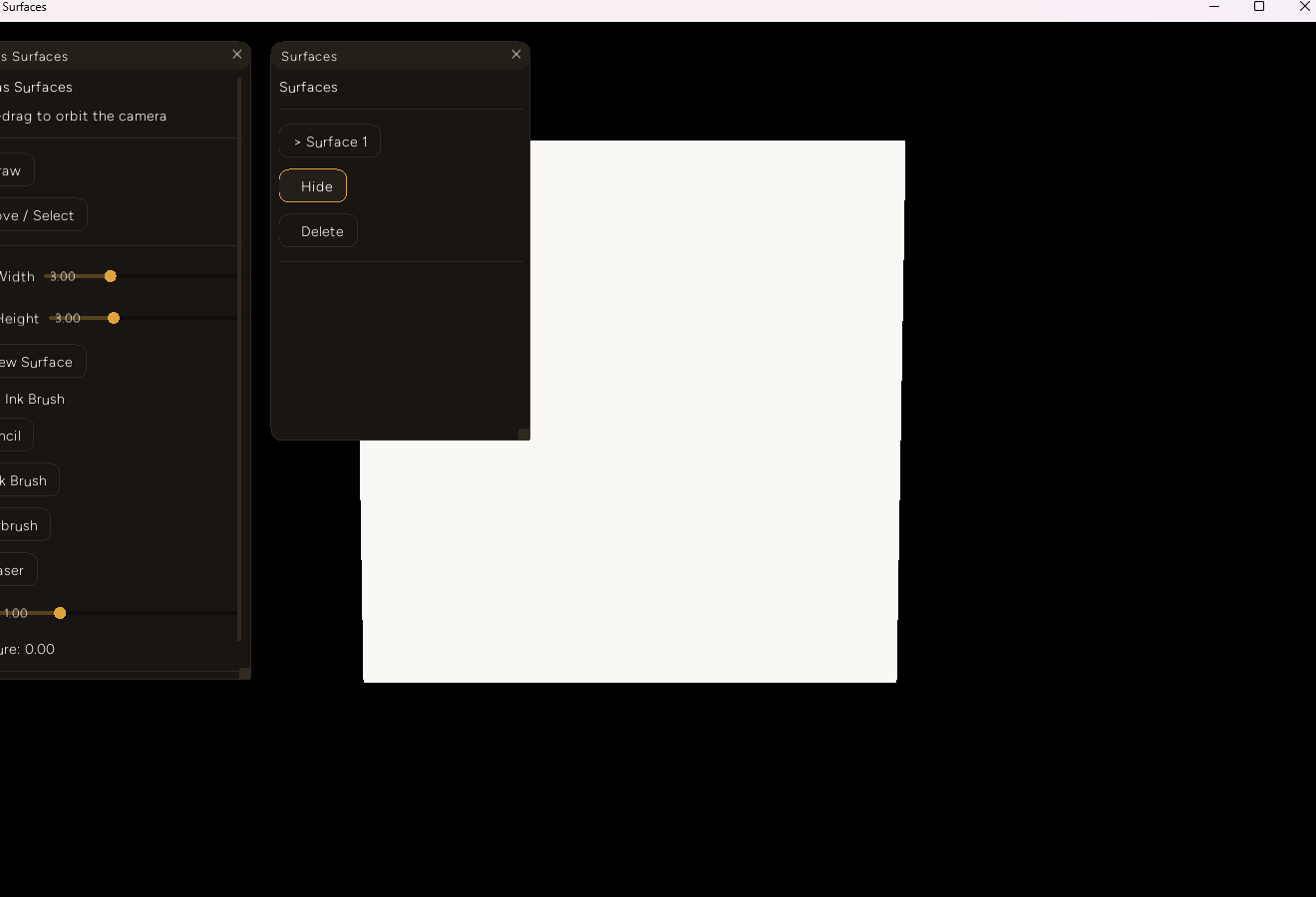
And Show brings back the identical mesh at the same transform:
Decision log
- A textured quad, not vector strokes. Storing strokes as a raster texture rather than a list of world-space stroke geometry is what makes moving, rotating, resizing, and (eventually) bending a drawn-on surface a pure vertex-position operation - the texture never needs to be touched or reprojected for any of those. The tradeoff, accepted explicitly: resizing a surface stretches its texture's existing UV mapping rather than resampling it, so an aggressive aspect-ratio change will visibly distort whatever's already drawn.
- AABB snapping, not true rotated-edge snapping. A full rotated-OBB edge-matching solver is real work with a narrow payoff for the common case this feature actually targets - tiling flat panels into a wall or floor, where they're rarely tilted relative to each other. AABB snapping is exact there and merely approximate once a surface is rotated, which is stated in the code rather than silently accepted as correct.
- Hide/show via clear-and-recreate, not a new engine visibility flag. Adding a real visibility toggle to
Entropy.Model's plain-mesh path would be the more general fix, but it's an engine change for a feature this addon can already get for free by reusingcreateMesh/clearMesh, which both already exist and are already proven elsewhere in this codebase. - Right-click orbit over remapping any of this addon's own drawing/gizmo input.
Entropy.Controls.enable'sbutton/triggeroptions already supported this exact request; changing them costs one line, versus reworking which mouse button drives drawing or the gizmo.
Failure notes
- The gizmo genuinely didn't render or respond at first, for an unrelated and simpler reason:
game_modedefaults totrue(src/app.rs), and the gizmo's draw pass is gated on!game_mode.game_composer_addon.tsalready knew to callEntropy.setGameMode(false), but nothing said so anywhere addon-facing. Fixed by calling it in this addon'sonInit, with a comment explaining why - a one-line fix, unrelated to the coalescing investigation above, and worth not conflating with it. Entropy.Selection.raycastis declared but not implemented -addon_setup.js's own version is a stub returningnull, confirmed by reading it before this addon's own ray-plane math was written instead of built on it. Anything reaching for it in this codebase today is reaching for a function that silently does nothing.
What's next
- Bend/curve a surface after drawing on it. Needs a real subdivided grid instead of the current single quad, and a real per-triangle ray-mesh intersection to replace the flat-plane assumption
raycastSurfacescurrently makes - fine for flat surfaces, wrong the moment one is bent. - Group strokes/surfaces, including nested groups. No native parent/child transform system exists for addon-spawned meshes in this engine; the plan, consistent with how CC Manager and the ML Graph Trainer already build structured tools on flat primitives, is an addon-owned hierarchy that recomputes and applies a delta to every leaf surface's own transform.
- Real rotated-edge snapping, if tilted-surface tiling turns out to matter in practice - AABB snapping is a deliberate v1 simplification, not a ceiling.
- Everything here is Windows-only, like the rest of this input-heavy corner of the series - untested on any other platform.