Part 1 shipped Canvas Surfaces as a single flat quad per surface - four vertices, a private painted texture, move it with a gizmo or sliders. That post's own "what's next" section named the gap directly: a flat quad has no interior vertices to bend, and the raycast that turns a stylus position into a texture pixel assumed a flat plane, which is exactly wrong the moment a surface curves. This post closes both gaps - a real subdivided grid, a cylindrical bend control, and a per-triangle raycast that works on bent and flat surfaces alike, no special case for either.
Also fixed this session, unrelated to bending: the addon's 3D viewport rendered against plain black. Not a rendering bug so much as a missing config - worth covering here since every screenshot in this post shows the fix.
What we're building
- Every surface is now a 16x16-quad grid (289 vertices) instead of a single 4-vertex quad.
- A per-surface
bendvalue (-1..1) cylindrically curves the grid around a chosen local axis (X or Y), applied in local space before the existing rotate-and-translate-to-world step. - Strokes already painted on a surface stay exactly where they were drawn once it's bent - they live in UV space, not world space, so bending only ever moves vertices.
- Painting and surface selection now raycast the actual grid triangles (Möller-Trumbore) instead of a flat-plane shortcut, so drawing accuracy holds on a curved surface too.
- A gray procedural sky (was: black) and a ground-reference grid mesh, so a surface floating in the scene has visual context instead of a void.
Same demo, same repo location: examples/studio-bundle/src/apps/canvas_surface_addon.ts, cargo run --bin example -- canvas-surface-demo.
From a quad to a grid
Phase 1's CORNERS/QUAD_INDICES gave every surface exactly four vertices - fine for a flat plane, useless for a bend, which needs interior vertices to actually curve. The grid is generated fresh whenever a surface's geometry changes (move, rotate, resize, or bend):
const GRID_SEGMENTS = 16; // 289 vertices - smooth enough, cheap enough to raycast per stroke sample

function computeSurfaceWorldGrid(s: Surface): Vec3[][] {
    const rows: Vec3[][] = [];
    for (let j = 0; j <= GRID_SEGMENTS; j++) {
        const ly = s.halfH - (2 * s.halfH * j) / GRID_SEGMENTS;
        const row: Vec3[] = [];
        for (let i = 0; i <= GRID_SEGMENTS; i++) {
            const lx = -s.halfW + (2 * s.halfW * i) / GRID_SEGMENTS;
            const bent = bendLocalPoint(lx, ly, s.halfW, s.halfH, s.bend, s.bendAxis);
            row.push(addV(localToWorldDir(bent, s.yaw, s.pitch, s.roll), s.position));
        }
        rows.push(row);
    }
    return rows;
}
Texture UV is a fixed i/N, j/N ratio, completely independent of a surface's size or bend, so it's computed once at module load and shared by every surface rather than rebuilt per surface. Entropy.Mesh.updateVertices already supported updating an arbitrary list of vertex indices (confirmed by reading op_mesh_update_vertices in addon_engine.rs - it writes each vertex's position into the GPU buffer at vertex_index * stride, with no cap on how many), so scaling from 4 vertices to 289 needed no engine change, just more indices in the same call.
Bending: a cylinder, not a free-form deformation
The bend itself is the standard "wrap a flat strip around a cylinder" parametrization - map a linear coordinate to an arc, on a circle whose radius shrinks as the requested bend gets stronger:
const MAX_BEND_ANGLE = Math.PI; // a half-circle at bend = +/-1

function bendLocalPoint(lx: number, ly: number, halfW: number, halfH: number, bend: number, axis: BendAxis): Vec3 {
    if (Math.abs(bend) < 1e-4) return [lx, ly, 0];
    const halfAngle = (bend * MAX_BEND_ANGLE) / 2;
    if (axis === "y") {
        const r = halfW / halfAngle;
        const theta = (lx / halfW) * halfAngle;
        return [r * Math.sin(theta), ly, r * (1 - Math.cos(theta))];
    } else {
        const r = halfH / halfAngle;
        const theta = (ly / halfH) * halfAngle;
        return [lx, r * Math.sin(theta), r * (1 - Math.cos(theta))];
    }
}
axis: "y" bends across local X into local Z - cylinder axis vertical, like a scroll curling left to right. axis: "x" does the same across local Y - a page curling top to bottom. Sign flips which way it bulges. At bend = 0 it's an exact no-op (early return, no near-zero division). One scalar and one axis choice, not a general free-form deformation - matches what the backlog card actually asked for, and a full deformation system is a different, much bigger feature.
Because the texture's UV mapping never changes, a surface that already has ink on it bends its strokes along with the geometry for free - no reprojection, no distortion beyond what the curve itself does to the surface. That was the entire point of storing strokes as a texture back in Part 1, and it paid off exactly as expected here.
The raycast: one path for flat and bent surfaces
Part 1's raycastSurfaces intersected a single infinite plane per surface. That's wrong for a grid with real curvature - there is no single plane. The replacement is a real per-triangle test against the surface's cached world-space grid, Moller-Trumbore, unified for both drawing and click-to-select:
function raycastSurfaceMesh(s: Surface, origin: Vec3, dir: Vec3): SurfaceHit | null {
    const verts = s.worldVerts;
    let best: { t: number; u: number; v: number } | null = null;

    for (let j = 0; j < GRID_SEGMENTS; j++) {
        for (let i = 0; i < GRID_SEGMENTS; i++) {
            const vTL = verts[j][i], vTR = verts[j][i + 1], vBL = verts[j + 1][i], vBR = verts[j + 1][i + 1];
            const uvTL = GRID_UV[j][i], uvTR = GRID_UV[j][i + 1], uvBL = GRID_UV[j + 1][i], uvBR = GRID_UV[j + 1][i + 1];

            let hit = rayTriangleIntersect(origin, dir, vTL, vBR, vTR);
            if (hit && (!best || hit.t < best.t)) {
                const w0 = 1 - hit.bu - hit.bv, w1 = hit.bu, w2 = hit.bv;
                best = { t: hit.t, u: w0 * uvTL.u + w1 * uvBR.u + w2 * uvTR.u, v: w0 * uvTL.v + w1 * uvBR.v + w2 * uvTR.v };
            }
            hit = rayTriangleIntersect(origin, dir, vTL, vBL, vBR);
            if (hit && (!best || hit.t < best.t)) {
                const w0 = 1 - hit.bu - hit.bv, w1 = hit.bu, w2 = hit.bv;
                best = { t: hit.t, u: w0 * uvTL.u + w1 * uvBL.u + w2 * uvBR.u, v: w0 * uvTL.v + w1 * uvBL.v + w2 * uvBR.v };
            }
        }
    }
    if (!best) return null;
    return { surface: s, px: best.u * CANVAS_RES, py: best.v * CANVAS_RES, t: best.t };
}
512 ray-triangle tests per surface per call (16x16 cells, 2 triangles each), no bounding-volume pre-check. That's a deliberate simplicity call, not an oversight - at this demo's surface count and stroke sampling rate it's comfortably sub-millisecond, and continueStroke got simpler for it: the old version hand-rolled a plane intersection and a local-space UV conversion inline; the new version is a single call to raycastSurfaceMesh against the one surface already being drawn on.
A gray sky and a ground grid
Every screenshot in Part 1 showed a surface floating against pure black. Reading render_addon_frame.rs turned up why: there's a procedural sky pass that runs on every single frame, unconditionally, sampling a uniform buffer of horizon/zenith/sun colors. Nothing in this addon ever wrote to that buffer, so the pass ran anyway - drawing whatever was left in an unset buffer, which reads as black. Not a hardcoded clear color to fight, just a config nobody had supplied yet:
Entropy.Lighting.updateSun({
    horizonColor: [0.62, 0.62, 0.66],
    zenithColor: [0.36, 0.36, 0.4],
});
pending_sun_config is read fresh every frame and never consumed, so one call in onInit is enough for the session.
A ground-reference grid turned out to need its own mesh rather than an engine flag. The engine already has a ground-plane grid (src/core/Grid.rs), but it only renders through Studio's editor path (render_frame.rs); the addon/runtime path this demo uses (render_addon_frame.rs) never draws it. So the grid here is addon geometry - line quads built the same way Grid.rs's generate_grid builds them, reusing the CanvasSurface pipeline with a 1x1 white texture tinted by vertex color instead of a new shader:
function buildGroundGridMesh(): { vertexData: number[]; indexData: number[] } {
    // ... thin axis-aligned quads at y=0, GROUND_GRID_SPACING apart
}
One real gotcha here: Grid.rs's own vertex winding produces a triangle normal pointing -Y when checked by hand (cross product of its own edge vectors), which is fine for its own pipeline (apparently unculled) but would be invisible from above through CanvasSurface's pipeline, which does backface-cull. The winding used here is the opposite order, verified by hand rather than copied - cross(p3-p0, p1-p0) and cross(p2-p0, p3-p0) both point +Y for the quad layout used.
Evidence
Same machine as recent Entropy posts: 12th Gen Intel Core i5-12500, Windows 11 Pro 10.0.26200. rustc 1.94.1, cargo 1.94.1, deno 2.6.7.
cd examples/studio-bundle && npm run build-canvas-surfaces   # deno bundle -> dist/canvas_surfaces.js
cargo build --bin example
cargo run --bin example -- canvas-surface-demo
cargo build --bin example clean (no Rust changed this session). npm run build-canvas-surfaces (deno bundle) clean. tsc --noEmit reports no new errors in canvas_surface_addon.ts - the file's own unused-import cleanup (worldToLocalDir, no longer needed once the raycast stopped doing manual plane math) is part of why.
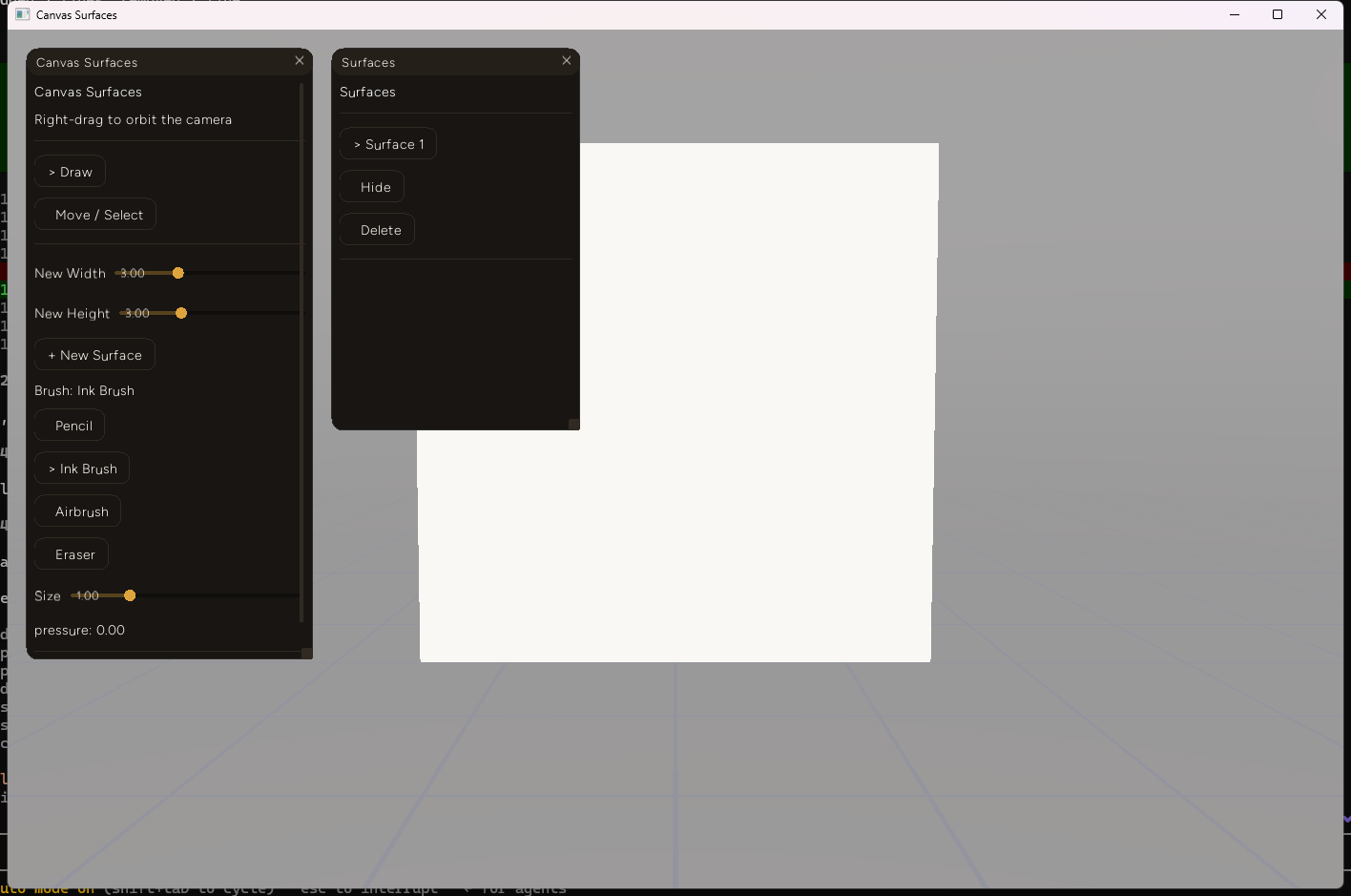
The default flat surface, now against a gray sky gradient with a ground-reference grid instead of black nothing:
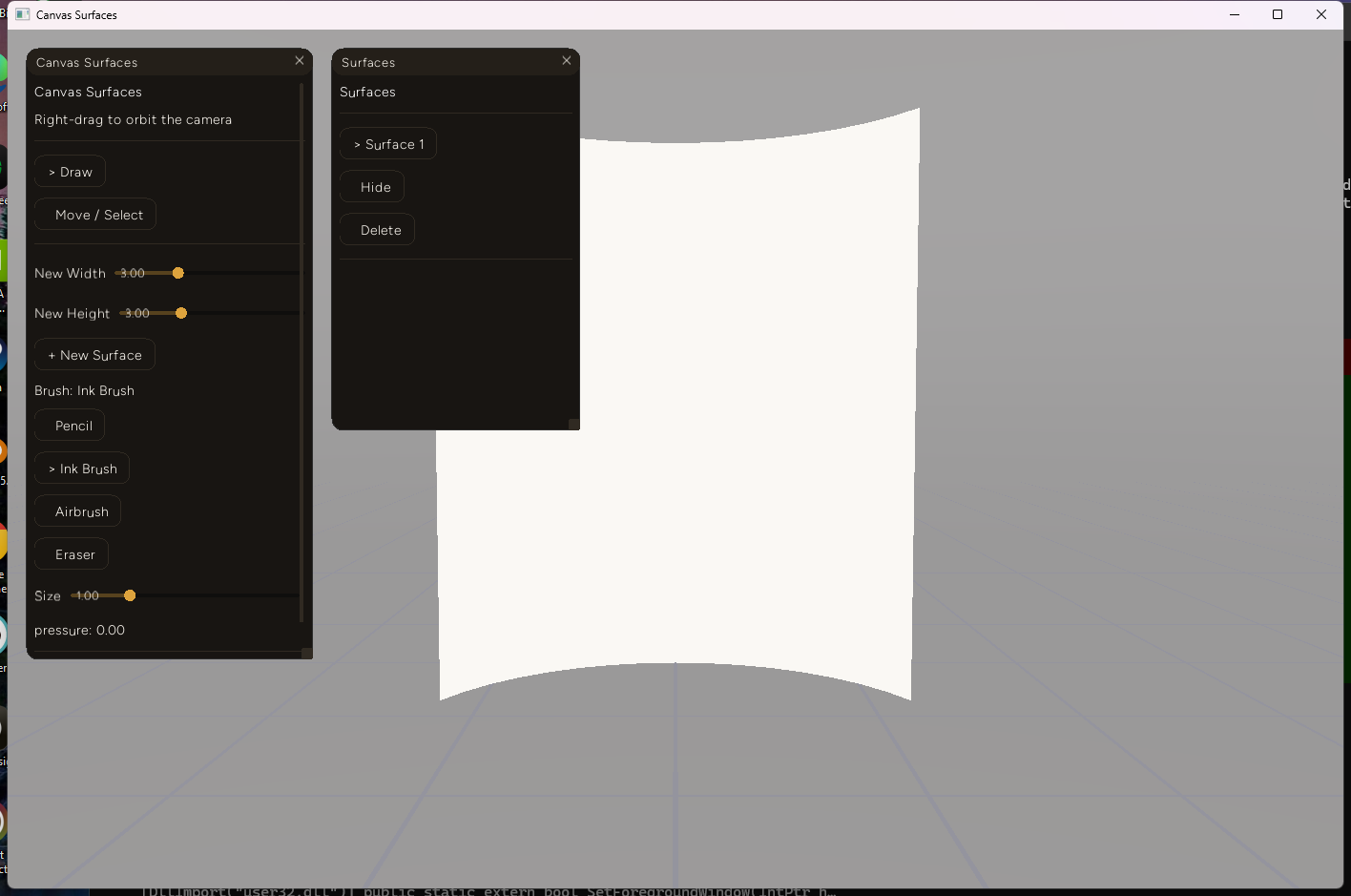
The same surface with bend set to 0.7 around the default Y axis - the curve is visible in the top and bottom edges under perspective, since the camera isn't perfectly on-axis with the cylinder:
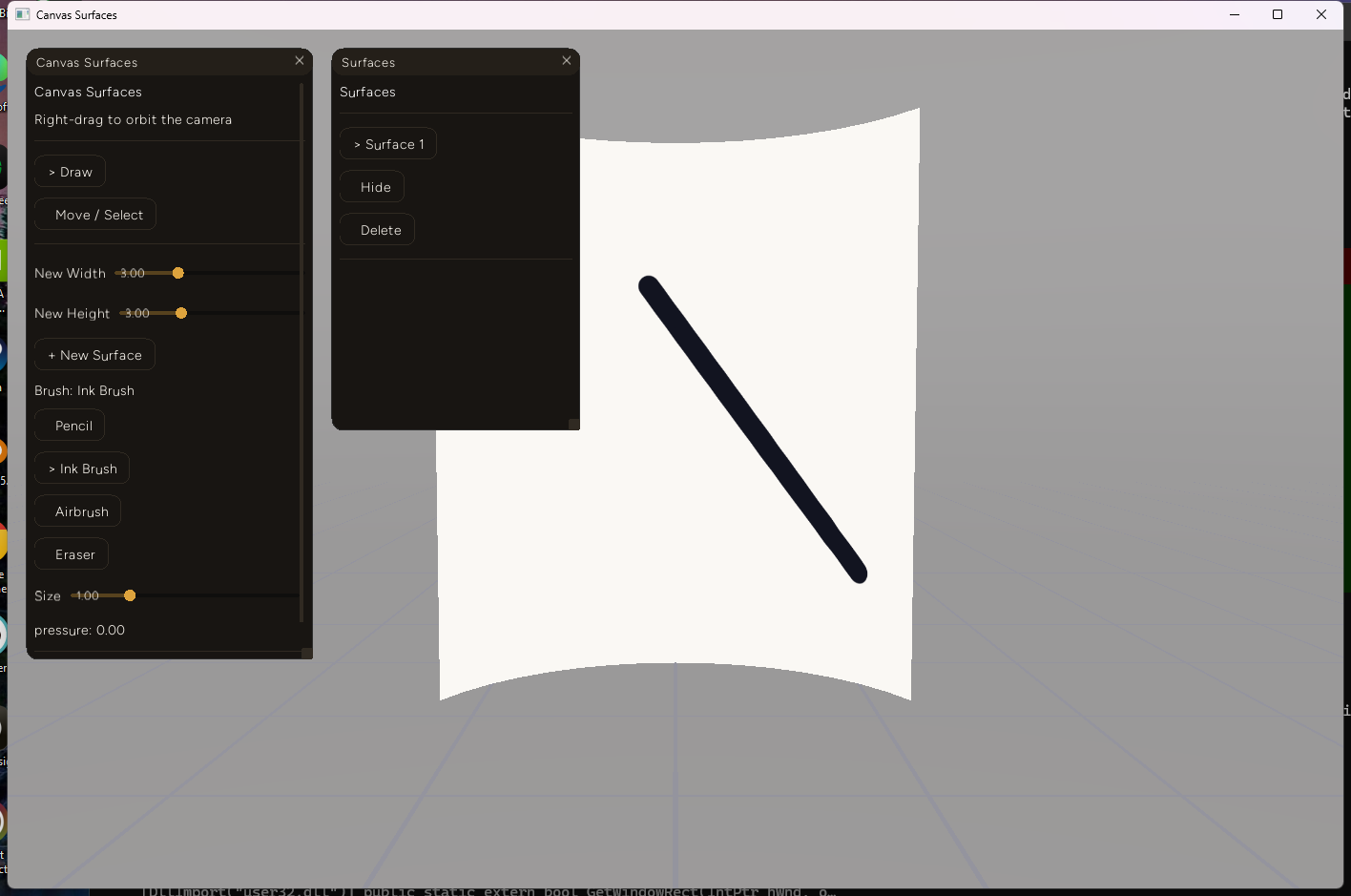
A diagonal ink stroke drawn with a synthetic mouse drag directly on the bent surface - clean and continuous, confirming the per-triangle raycast tracks the cursor correctly across curved geometry:
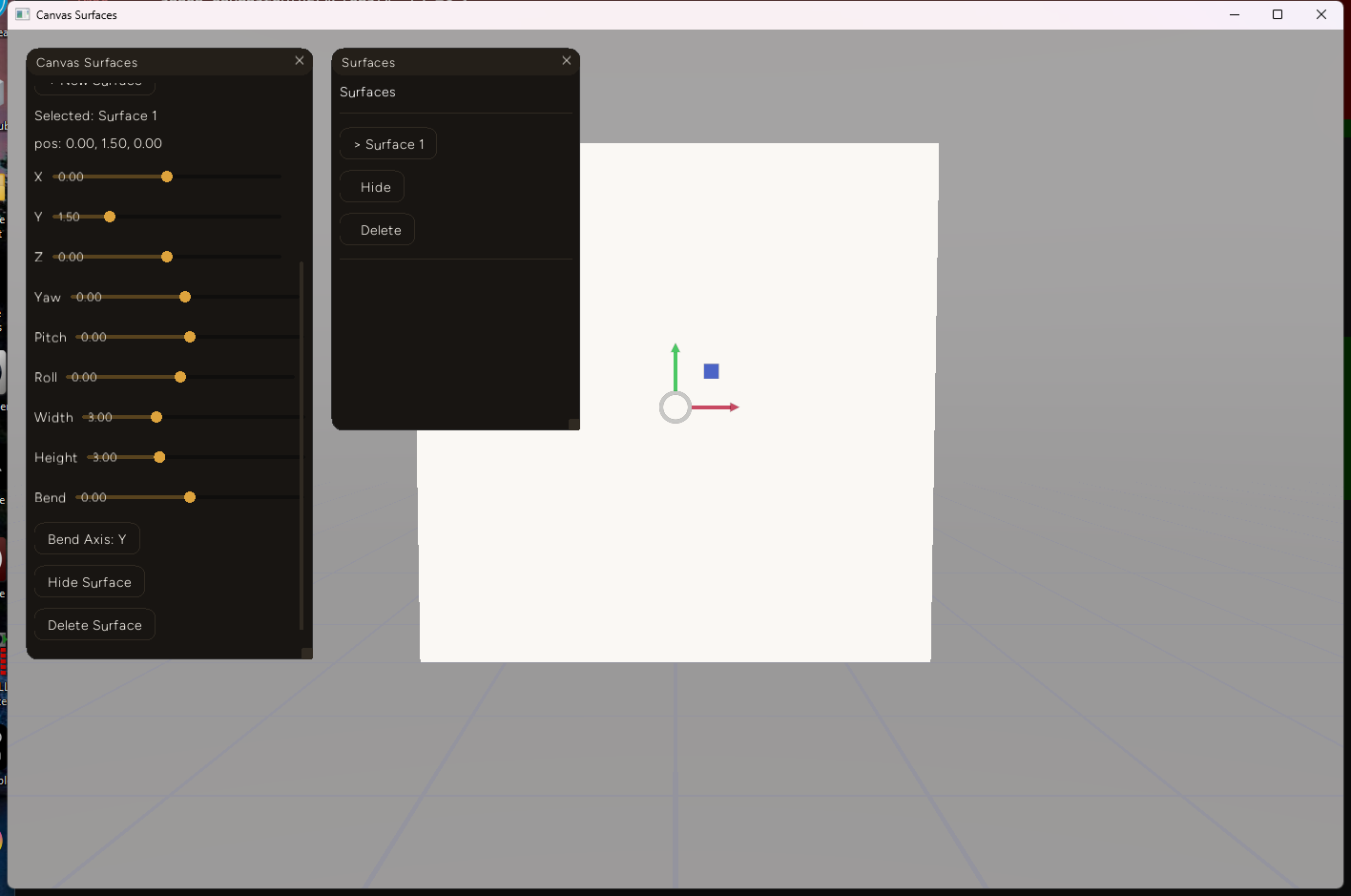
The Move-mode panel with the new Bend slider and Bend Axis toggle, alongside the existing position/rotation/resize controls:
Decision log
- Fixed grid resolution (16x16), not size-dependent. A tiny surface and a large one both get 289 vertices. Simpler than scaling resolution to size, and bend needs interior vertices regardless of how big the surface is - the cost (512 raycast triangles) is the same either way and already comfortably cheap.
- One scalar + one axis (X or Y), not a general deformation. The backlog card asked for "the simplest thing: a single bend amount parametrizing a cylindrical curve around a local axis." A free-form deformation lattice would solve a problem nothing here has yet.
- Real per-triangle raycast for every surface, not a fast path for flat ones. A flat surface is just a bent surface with
bend = 0under this code - keeping one raycast path instead of branching on whether a surface happens to be flat removed code rather than adding it, at a cost (512 triangle tests instead of one plane test) that's irrelevant at this scale. - Addon-owned ground grid, not an engine change to make
Grid.rsaddon-visible. Wiring the engine's existing Studio-only grid into the addon render path would be the more "correct" fix long-term, but it's an engine change for a feature this addon can already get by drawing its own line-quad mesh with the pipeline it already has.
Failure notes
- A same-tick
updateVerticescall silently does nothing. Verifying the bend, the first test calledpushSurfaceTransformimmediately afterspawnSurfacein the sameonInittick - the surface rendered perfectly flat, no error, no warning. The cause:addon_engine.rsdrains theop_mesh_update_verticesqueue (around line 1983) before theop_model_create_meshqueue (around line 2476) every frame, so an update queued the same tick as its own mesh's creation finds no matching mesh yet and is dropped for good - the queue is cleared regardless of whether it found a match, not re-queued. Delaying the test call by ten frames confirmed the bend math was correct all along; the bug was in the test, not the feature. Every real call site in this addon (UI slideronChange, gizmoonTransform) already fires long after creation, so this never bites normal use - but it's a genuine engine timing quirk worth knowing before any future addon tries to reshape a mesh immediately after spawning it. - A vertical-axis cylindrical bend looked, at first glance, like it wasn't rendering at all when compared against a flat surface from this addon's default near-head-on camera position. It was rendering correctly - the bulge is mostly a depth (Z) change along an axis close to the camera's own view direction, so it reads as a change in silhouette curvature only once perspective and a slightly off-axis camera reveal it, not as an obvious width change. Confirmed by the screenshot above, not by assuming the math was right.
What's next
- Stroke/surface grouping, including nested groups (
canvas-surfaces-phase3-groupingin the project's task board) - still blocked on the same fact as before: no native parent/child transform system for addon-spawned meshes, so this stays an addon-owned hierarchy layered on flat primitives, the same pattern CC Manager and the ML Graph Trainer already use. - Real ray-vs-bent-mesh accuracy at extreme bend values hasn't been stress-tested past
bend = 0.7- the formula is well-defined up tobend = 1(a full half-circle), but self-occlusion at the extreme (the two ends of the cylinder nearly facing each other) meansraycastSurfaceMesh's closest-hit logic will need a look before shipping a UI that lets users reach it casually. - Everything here is Windows-only, like the rest of this series - untested on any other platform.